
Prop Firm Trade Copier: Rules, Risks & Safe Setup (2026)
Most prop firms allow trade copying on your own accounts but restrict copy services and shared IPs. Learn the rules and how to configure a compliant copier.
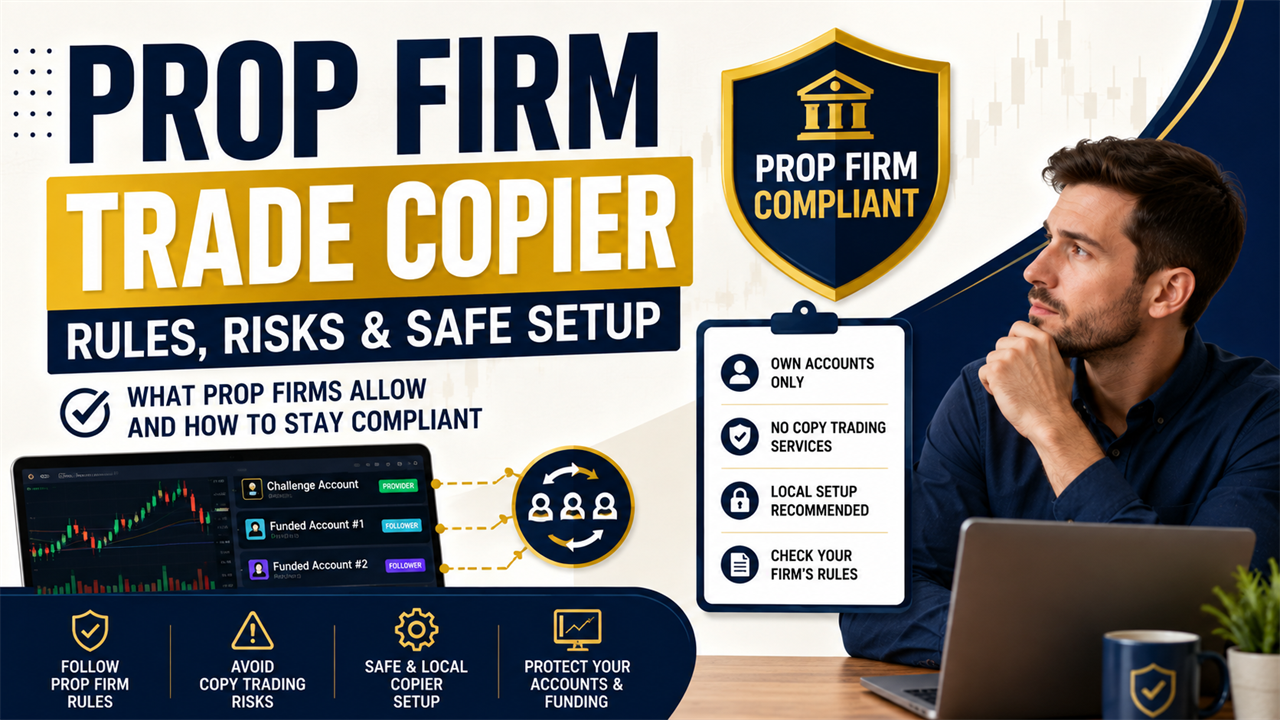
A trade opens on your main challenge account and copies to a second account you also own. The positions match correctly, but the prop firm later requests an explanation because both accounts show synchronized activity. Prop firms can allow trade copiers, but the permitted account relationships and software types depend on the firm’s current rules.
A prop firm trade copier is software that sends trade instructions from a provider account to one or more follower accounts. The copier automates execution, but it does not replace the firm’s rules on ownership, strategy independence, account allocation, daily loss, or maximum drawdown.
This guide explains how prop firms classify copying arrangements, which patterns can trigger reviews, how to apply account-specific risk controls, and how to document and test a compliant local setup.
Do Most Prop Firms Allow Trade Copying Between Your Own Accounts?
Most prop firms permit copying between your own accounts but prohibit copy-trading services that mirror another trader’s signals or route orders through shared infrastructure. The distinction is control and IP: self-copying on a local machine is generally allowed, while cloud copiers that batch multiple clients through one server can trigger copy-detection flags. Always confirm against your firm’s current rulebook.
This pattern appears across several current rulebooks, but it is not universal. Permission can change according to the challenge model, funded stage, total allocation, account platform, and origin of the provider signal.
FundedNext allows copying between Challenge Accounts owned by the same trader. Its policy prohibits copying between different individuals and restricts external cloud services such as Social Trader Tools, Traders Connect, and Duplikum for the covered account arrangements. (Source: FundedNext Copy Trading Rule, 2025).
| Copying arrangement | Common policy treatment | What must be confirmed |
|---|---|---|
| Challenge to challenge under one owner | Often permitted with conditions | Program and allocation limits |
| Funded to funded under one owner | Firm-specific | Whether copying or merging is required |
| Challenge to funded account | Frequently restricted | Account-stage compatibility |
| Personal account to prop account | Firm-specific | Whether external providers are allowed |
| Another trader’s account to your account | Commonly prohibited | Strategy and account ownership |
| Public signal service to prop account | Commonly prohibited | Third-party signal rules |
| Shared cloud copying service | Often restricted | Credential, server, and IP policies |
| Local copying between owned accounts | More commonly accepted | Exact own-account copying allowance |
A local setup does not create permission where none exists. The account relationship must be allowed before the copier, terminal, or connection method is considered.
How Do Prop Firms Distinguish Self-Copying From Copy-Trading Services?
Prop firms distinguish self-copying from copy-trading services by reviewing who owns the accounts, who creates the strategy, who controls the credentials, and whether unrelated traders receive the same signals. Self-copying keeps those functions under one verified trader.
A provider account is the account that creates the original trading instruction. A follower account receives that instruction and attempts to reproduce the position under its own broker and risk conditions.
E8 Markets permits copy trading across SimFi Challenge, SimFi Performance, and personal accounts when every account belongs to the same user. The firm separately prohibits signal services and team trading between different users. (Source: E8 Markets Copy Trading Policy, 2026).
| Compliance question | Self-copying | Copy-trading service |
|---|---|---|
| Who owns the provider? | The same verified trader | Another trader or service |
| Who creates the strategy? | The account owner | An external provider |
| Who controls the credentials? | The trader | A service may receive access |
| Who can modify the trades? | The trader | The provider or service |
| Who receives the signals? | Accounts under one owner | Multiple unrelated clients |
| Where is the copier operated? | Trader-controlled environment | External infrastructure |
| Can the trader explain each entry? | Yes | Explanation may depend on another person |
Account ownership alone may not settle the issue. A trader can own the follower account while still using a prohibited external signal source.
The firm may request evidence that the strategy originated with the account holder. Trading journals, EA records, provider logs, and written copier approval can support that explanation.
Which Trade Copier Rules Vary Between Prop Firms?
Trade copier rules vary by account stage, program model, total allocation, strategy source, platform, and connection method. A copier allowed on one challenge can be prohibited on another product from the same firm.
The firm’s general FAQ may not contain every restriction. Program pages, prohibited-practice policies, terms, network rules, and funded-account agreements can add separate conditions.
The5ers permits internal copying between a trader’s own accounts in certain programs but excludes Bootcamp. It also prohibits external signal copying, which shows why traders must review the exact program rather than rely on a firm-wide assumption. (Source: The5ers Challenge Program Rules, 2026).
| Rule category | Possible variation |
|---|---|
| Account ownership | Same-user copying may be allowed or prohibited |
| Challenge stage | Evaluation copying may have separate conditions |
| Funded stage | Copying may be replaced by account merging |
| Program type | One-step, two-step, and instant products can differ |
| Total allocation | One strategy may have a combined capital cap |
| External providers | Personal brokerage accounts may be restricted |
| Copier architecture | Local software may be allowed while cloud tools are banned |
| Platform | EA and automated trading rules can differ |
| Strategy source | Original strategies may be required |
| Network use | VPN, VPS, IP, and device rules can vary |
Challenge and Funded Account Restrictions
Challenge and funded accounts can use different trade copier rules because they represent different stages of the firm’s risk process. Passing an evaluation does not guarantee that the same copier route remains allowed afterward.
A challenge account measures whether the trader can meet objectives within prescribed limits. A funded or performance account can introduce allocation, payout, consistency, and live-market replication considerations.
Check these stage-specific conditions:
- Whether own-account copying is allowed during the challenge
- Whether copying must stop after the account is funded
- Whether funded accounts can be merged
- Whether challenge accounts can send to funded accounts
- Whether instant accounts follow separate copying rules
- Whether each account must use the same program
- Whether platform changes affect eligibility
Review the new agreement whenever the account stage changes. The rules accepted when purchasing a challenge may not be the complete funded-account policy.
Signal Sharing and Third-Party Strategy Rules
Signal-sharing rules determine whether the trading decision must originate with the verified account holder. Firms commonly prohibit public signals, pass-your-challenge services, team trading, account management, and widely distributed systems that create identical trades.
A third-party EA can create the same compliance concern as a manual signal service. The delivery method changes, but the strategy can still originate outside the account holder.
Commonly restricted arrangements include:
- Copying a friend’s or relative’s account
- Receiving Telegram or Discord signals
- Paying someone to pass an evaluation
- Using another person’s account as the provider
- Sharing one provider across unrelated customers
- Giving a manager control of account credentials
- Running an EA that produces identical trades for many users
The firm can evaluate the origin of the decision rather than the button used to place it. A manual order is not automatically independent, and an automated order is not automatically prohibited.
Why Can Shared IP Addresses Trigger Compliance Reviews?
Shared IP addresses can trigger compliance reviews because several unrelated accounts may appear to connect through one network endpoint. That pattern can resemble centralized account management, shared credentials, or a cloud copying service.
An IP address identifies the network endpoint used to connect to the firm or trading platform. Several accounts owned by one person can legitimately share a home IP, while unrelated traders can share a data center IP through the same cloud service.
FundingPips states that it logs IP activity to verify that the account holder is trading. Its policy also prohibits copy trading between different users and third-party account management. (Source: FundingPips Trading Conduct and Security Standards, 2026).
| Connection pattern | Possible explanation | Compliance concern |
|---|---|---|
| Owned accounts on one home IP | One trader using one network | Usually explainable through ownership |
| Unrelated accounts on one data center IP | Shared cloud or VPS service | Centralized management concern |
| Frequent country changes | Travel, VPN, or rotating infrastructure | Identity verification |
| Two distant locations within a short period | Shared access or exposed credentials | Third-party control |
| Many users on one hosted endpoint | Multi-tenant service | Shared copying infrastructure |
| One account on many networks | Mobile data, travel, or proxy use | Inconsistent access history |
A shared IP does not prove prohibited copying. It is one signal that can be assessed alongside ownership, device records, login geography, and trade behavior.
A consistent IP also does not guarantee compliance. Accounts can still violate signal-sharing rules while using separate networks.
What Copying Patterns Can Look Like Coordinated Trading?
Copying patterns can look coordinated when multiple accounts repeatedly use the same symbols, directions, entry times, volume ratios, stop levels, and closing actions. These similarities remain visible even when each account uses a different IP address.
A legitimate own-account copier naturally produces synchronized trades. The compliance concern increases when matching activity appears across accounts belonging to unrelated traders.
The5ers identifies trade coordination, copy trading with other traders, and third-party EAs that produce the same trades for multiple users as prohibited practices. (Source: The5ers Prohibited Trading Practices, 2026).
| Pattern | Why it may be reviewed |
|---|---|
| Identical entry timestamps | Accounts may receive one provider signal |
| Matching stop-loss levels | Risk instructions may come from one source |
| Fixed volume ratios | A copier relationship may be present |
| Simultaneous partial closures | Position management may be centralized |
| Identical pending orders | Accounts may share planned entry levels |
| Matching magic numbers | The same EA may operate across users |
| Repeated trades across unrelated owners | Possible signal or team trading |
| Opposite trades on linked accounts | Possible coordinated hedging |
Trade similarity should not be deliberately disguised. Randomizing entry times or changing volumes to avoid detection can turn a configuration question into an intentional-concealment issue.
The correct response is to connect only authorized accounts. The trader should also be prepared to explain why the positions match and how each account’s risk was calculated.
Is a Local Trade Copier Safer for Prop Firm Accounts?
A local trade copier is operationally safer because it keeps credentials and the core copying process on the trader’s own machine. It does not make a prohibited account relationship compliant.
A local copier reads trading activity from terminals already controlled by the trader. It does not need a cloud service to hold the account’s master password or route every order through shared infrastructure.
Copiix explains how external credentials, hosted relays, and shared infrastructure create additional concerns in its guide to cloud trade copier risks.
| Security factor | Local copier | Cloud copier |
|---|---|---|
| Credential storage | Remains in local terminals | May be stored or authorized externally |
| Core signal route | Local provider to local follower | Provider to cloud to follower |
| Shared infrastructure | Not required | Common with multi-user services |
| Public IP | Usually the trader’s connection | May use a hosted server address |
| Account control | Retained by the trader | Extended to another organization |
| Outage dependency | Local machine and connection | Cloud service and account connections |
| Compliance status | Determined by firm rules | Determined by firm and service rules |
Local copying keeps account control with the trader, but the prop firm’s rulebook determines whether the copying relationship is allowed.
A local copier also makes the setup easier to document. The trader can preserve terminal logs, configuration screenshots, and the provider-to-follower map without depending on a third-party dashboard.
Local operation does not hide trade similarity. The firm can still compare entries, exits, lot ratios, and account ownership.
Can You Copy Trades Between Accounts at Different Prop Firms?
You can copy trades between different prop firms only when every firm involved permits the provider source, account relationship, strategy, and copier method. Approval from one firm does not create approval at another.
One firm may allow an external personal account to act as the provider. Another may permit copying only between challenge accounts inside its own platform.
FTMO allows multiple accounts but applies a maximum allocation of $400,000 per trader or strategy before scaling. A cross-firm setup must therefore consider both copier permissions and strategy-level allocation limits. (Source: FTMO Account Allocation Rules, 2026).
| Cross-firm question | Provider-side check | Follower-side check |
|---|---|---|
| Is external copying permitted? | Provider can send trades | Follower can receive external trades |
| Do all accounts share one owner? | Ownership is documented | Ownership is documented |
| Can challenge and funded stages connect? | Provider stage permits it | Follower stage permits it |
| Is the software permitted? | EA or copier use is allowed | EA or copier use is allowed |
| Is the strategy within allocation limits? | Provider capital counts | Follower capital may count |
| Are IP or VPS rules compatible? | Source connection is allowed | Receiver connection is allowed |
| Can personal accounts participate? | Provider source is accepted | External brokerage signals are accepted |
The stricter policy controls the complete route. A valid provider under Firm A can still be an unauthorized external source under Firm B.
Review every connected account separately. Do not assume that all accounts owned by one person can automatically share trades across firms.
How Should You Configure Risk Across Accounts With Different Limits?
Configure each follower according to its own equity, daily loss limit, maximum drawdown, contract specification, and remaining risk capacity. Copying the same numerical lot across every account can produce unequal percentage risk.
A lot multiplier is a setting that increases or reduces the follower’s calculated position size. A multiplier of 0.5 produces half the calculated volume, while 2.0 doubles it.
FundedNext’s published limits illustrate why one risk profile cannot be applied blindly across programs. Its Stellar 2-Step, Stellar 1-Step, and Stellar Lite products use different daily and maximum loss percentages. (Source: FundedNext Daily and Maximum Loss Limits, 2026).
| FundedNext example | Daily loss limit | Maximum loss limit |
|---|---|---|
| Stellar 2-Step | 5% | 10% |
| Stellar 1-Step | 3% | 6% |
| Stellar Lite | 4% | 8% |
These figures are examples from one firm. Every follower must use the exact calculation published for its own product and purchase date.
Lot Multipliers and Balance-Based Sizing
Lot multipliers apply a fixed ratio, while equity-based sizing relates the follower volume to the current equity of both accounts. Equity-based sizing adapts when account values move apart.
A basic proportional calculation is:
Follower lot = Provider lot × Follower equity ÷ Provider equity × Multiplier
| Provider equity | Follower equity | Provider lot | Multiplier | Calculated follower lot |
|---|---|---|---|---|
| $100,000 | $100,000 | 1.00 | 1.00 | 1.00 |
| $100,000 | $50,000 | 1.00 | 1.00 | 0.50 |
| $100,000 | $25,000 | 1.00 | 0.50 | 0.125 |
| $50,000 | $100,000 | 0.50 | 0.75 | 0.75 |
The broker can round the calculated result to its permitted volume step. A calculated 0.125 lot may become 0.12 or 0.13, depending on the symbol specification and copier behavior.
A lot ratio does not guarantee equal risk when stop distances or contract sizes differ. Percentage risk should be checked from the follower’s entry, stop loss, tick value, and account currency.
Daily Loss and Maximum Drawdown Controls
Daily loss controls the permitted loss during one trading day, while maximum drawdown controls the total permitted decline under the firm’s stated formula. Both limits can include floating losses, commissions, swaps, and fees.
A drawdown limit can be static, balance-based, equity-based, or trailing. The reset time can also use the prop firm’s server timezone rather than the trader’s local time.
Copiix discusses the interaction between multiple providers, cumulative losses, and account-level thresholds in its guide to copy trading drawdown controls.
Record these values for each follower:
- Current balance and equity
- Daily loss already used
- Remaining daily loss allowance
- Maximum drawdown threshold
- Floating losses on open trades
- Commissions and swap costs
- Daily reset time
- Whether the drawdown trails profits
Leave a buffer below the published limit. Slippage, spread differences, and delayed closures can cause a follower to lose more than the provider.
Which Copier Settings Help Reduce Compliance Risks?
Copier settings help reduce compliance risk when they restrict signals to authorized accounts, preserve follower-specific risk, and prevent unrelated strategies from entering a prop account. Settings cannot make prohibited copying acceptable.
A filter is a rule that determines which provider trades are eligible for copying. Filters can separate symbols, directions, automated systems, manual trades, or volume ranges.
Copiix documents Provider, Copyer, and Both modes, along with symbol filters, direction filters, lot filters, magic number filters, aliases, and Money Management Maps. (Source: Copiix Parameters Configuration, 2026).
| Setting | Compliance purpose | Practical configuration |
|---|---|---|
| Provider mode | Identifies the authorized source | Use only on an account you control |
| Copyer mode | Identifies the follower | Select only approved providers |
| Alias | Clarifies account identity | Include firm, stage, and account size |
| Symbol filter | Blocks restricted instruments | Match the firm’s permitted symbol list |
| Direction filter | Restricts Buy or Sell copying | Use only when the strategy requires it |
| Magic number filter | Isolates one EA | Exclude unrelated automated systems |
| Lot filter | Blocks out-of-range positions | Prevent oversized provider trades |
| Money management | Controls follower sizing | Match account-specific loss limits |
| Prefix and suffix | Resolves broker symbol formats | Confirm the resulting instrument |
| Translate | Maps different symbol names | Match equivalent contracts only |
| Drawdown control | Stops activity at a set threshold | Leave room below firm limits |
| Target control | Restricts copying after a defined result | Prevent unplanned continued exposure |
Use descriptive aliases such as FirmA-Challenge-100K and FirmB-Funded-50K. Generic labels increase the risk of connecting the wrong account.
The NetworkMap connection view provides a visual way to review provider and Copyer relationships before copying begins.
What Records Should You Keep to Prove the Trades Are Yours?
Keep records that establish account ownership, strategy control, copier configuration, provider origin, and consistent device access. These records can answer a compliance request with evidence rather than memory.
A strong record set connects the original trading decision to the verified account holder. It should also explain why each follower used its particular lot size, symbol mapping, and risk limit.
| Record | What it can establish |
|---|---|
| Account purchase receipt | The account was purchased by the verified trader |
| Prop firm dashboard screenshot | Ownership, stage, and account size |
| Identity verification record | Accounts share the same approved owner |
| Written support approval | The specific copier arrangement was reviewed |
| Provider-to-follower map | The direction of each copying route |
| Configuration screenshots | Filters and money management settings |
| Trading journal | Reason for each provider entry |
| EA ownership or source records | Strategy origin and control |
| Platform logs | Open, modify, close, and rejection events |
| Device or IP history | Consistent access environment |
| Rulebook archive | Policy used when the setup was approved |
| Change log | Dates when settings or accounts changed |
Save records before an issue occurs. A screenshot created after a compliance review may not show the original configuration.
Do not alter logs or construct explanations after the fact. Inconsistencies can create more concern than an openly documented copier route.
How Do You Check a Prop Firm’s Copier Policy Before Connecting Accounts?
Check the official rulebook for the exact program, stage, and platform before connecting any accounts. Search the firm’s terms, FAQ, prohibited-strategy policy, network rules, and funded-account agreement.
Do not rely only on a social media reply, affiliate article, or another trader’s experience. Rules can change, and two users can hold products with different conditions.
E8 Markets separates own-account copying from cooperation with other traders in its current trading-policy documentation. The policy allows copying across accounts owned by one user while requiring each trader to remain independent from other users. (Source: E8 Markets Trading Policies, 2026).
| Search term | What it can reveal |
|---|---|
| Copy trading | Whether copying is allowed |
| Trade copier | Permitted software or connection methods |
| Own accounts | Ownership conditions |
| Signal service | External provider restrictions |
| Expert Advisor or EA | Automated strategy rules |
| Account management | Third-party access restrictions |
| IP address | Location and connection expectations |
| VPN or VPS | Remote infrastructure rules |
| Maximum allocation | Total capital restrictions |
| Challenge and funded | Stage-specific differences |
| Merge accounts | Alternative to funded-account copying |
| Prohibited strategies | Wider behavioral restrictions |
Record the page title, URL, publication or update date, and relevant wording. A current rulebook copy is more useful than a bookmark to a page that may later change.
Repeat the policy check after passing a challenge, adding an account, changing platforms, or connecting another firm.
What Should You Do When the Rules Are Unclear?
Ask the prop firm for written confirmation that describes the exact provider, followers, account stages, ownership, platform, and copier architecture. Do not ask only whether “trade copiers” are allowed.
A broad question can produce a broad answer that does not cover the proposed setup. The support request should identify every material part of the relationship.
Include these details:
- Firm and program name
- Challenge, verification, funded, or instant stage
- Number and size of accounts
- Confirmation that every account belongs to you
- Provider account location
- Follower account locations
- Local or cloud copier model
- Trading platforms used
- Whether a personal brokerage account is involved
- Whether any VPS or VPN is used
- Whether one strategy controls every account
A useful written question is:
“Can I use a local trade copier on my own computer to copy trades from my MT5 Challenge Account to two MT5 Challenge Accounts that are also registered and verified in my name?”
Save the complete reply, including the date and support ticket number. Recheck the rules when the account moves to another stage.
When support gives a vague or conflicting answer, do not connect the accounts. Request clarification until the permitted arrangement is explicit.
How Can You Test a Prop Firm Trade Copier Without Risking an Account?
Test the copier on demo accounts or the firm’s free-trial environment before connecting a paid challenge or funded account. The test should cover the full position lifecycle and every account-specific risk rule.
A successful opening does not prove that stop changes, partial closures, reconnects, or rejected orders will behave correctly. The follower can also use a different symbol or accepted lot step from the provider.
Copiix recommends starting with one Provider and one Copyer, applying basic money management, and checking the connection and errors before expanding the setup. (Source: Copiix Getting Started Documentation, 2026).
| Test | Provider action | Required follower result |
|---|---|---|
| Connection | Start one Provider and one Copyer | Both accounts appear online |
| Market order | Open the minimum practical volume | Correct symbol and direction appear |
| Lot sizing | Use a known provider volume | Follower volume matches the rule |
| Stop loss | Add or modify the stop | Follower protection updates |
| Take profit | Add or modify the target | Follower target updates |
| Pending order | Place a supported pending order | Equivalent follower order appears |
| Partial closure | Reduce the provider position | Follower exposure reduces correctly |
| Full closure | Close the provider trade | Linked follower trade closes |
| Symbol mapping | Trade a suffixed or translated symbol | Correct follower instrument appears |
| Reconnection | Restart the console and terminals | Roles and routes recover |
| Rejection | Create a controlled invalid condition | Error appears without duplication |
| Drawdown stop | Reach a safe demo threshold | Copying stops as configured |
Use account sizes and risk rules that resemble the intended prop accounts. Testing a $10,000 provider against a $10,000 follower will not expose every sizing problem in a $100,000-to-$25,000 route.
Review the provider, Copiix, and follower logs after every test. Record the symbol, volume, timestamps, stop levels, and broker response.
When a technical issue remains unresolved, send the exact configuration and log message when you contact the Copiix team.
How Does Copiix Support Local Copying Between Your Own Accounts?
Copiix supports local copying by connecting MT4, MT5, and cTrader terminals through software running on the trader’s own Windows, Linux, or macOS machine. The core copying workflow does not require a cloud relay or mandatory registration.
Each terminal can operate as a Provider, Copyer, or Both. A Provider sends eligible trade instructions, while each Copyer applies its own symbol, filter, and money management settings.
Copiix documents synchronization across MT4, MT5, and cTrader terminals with unlimited provider and follower connections. The practical number of active terminals still depends on the computer’s CPU, memory, platform workload, and connection stability. (Source: Copiix Documentation: What Is Copiix?, 2026).
| Copiix capability | Prop firm use |
|---|---|
| Local operation | Keeps core copying on the trader’s device |
| Provider and Copyer roles | Defines the authorized trade direction |
| MT4, MT5, and cTrader | Connects accounts across supported platforms |
| Unlimited Copyers | Supports several owned follower accounts |
| Account aliases | Identifies firm, stage, and account size |
| Symbol mapping | Resolves broker prefixes, suffixes, and names |
| Money management | Applies separate follower sizing |
| Trade filters | Restricts symbols, directions, lots, or strategies |
| Drawdown controls | Sets account-level copying thresholds |
| NetworkMap | Displays provider and follower relationships |
| Local logs | Supports testing and troubleshooting |
The Copiix trade copier features support account-specific filters, money management, symbol handling, and real-time monitoring.
Copiix is compatible with MetaTrader 4, MetaTrader 5, and cTrader but is independent of MetaQuotes and Spotware. A permitted technical setup must still follow every connected prop firm’s current rulebook.
Copy trading also reproduces losses. Faster or more consistent execution does not remove strategy risk, broker differences, or account drawdown limits.
Prop Firm Trade Copying: Rules and Risk Controls to Remember
A compliant prop firm trade copier setup starts with permitted account relationships, documented ownership, and follower-specific risk controls. Software architecture matters, but it comes after the rulebook.
The safest technical route is not automatically an approved trading route. Confirm ownership, strategy source, account stage, allocation, IP policy, and copier method before adding the first live follower.
| Priority | Required action |
|---|---|
| Account ownership | Connect only accounts owned and verified by you |
| Strategy control | Use trading decisions you create and control |
| Rulebook | Check the exact program and account stage |
| Written approval | Request it when any condition is unclear |
| Copier type | Confirm whether local, cloud, or VPS software is allowed |
| Provider source | Verify whether external accounts are permitted |
| Allocation | Keep total accounts and strategy capital within limits |
| Risk sizing | Configure each follower independently |
| Drawdown | Leave a buffer below daily and maximum limits |
| IP and device | Follow the firm’s current network policy |
| Records | Save approvals, settings, and platform logs |
| Testing | Verify the complete workflow before live use |
Stop copying when a rule changes, an account enters a new stage, or the follower behaves differently from the test. Reapproval is more valuable than assuming an old answer still applies.
Do not use Copiix or another copier to conceal signals, ownership, IP activity, or coordinated trading. Local copying is a control and privacy model, not a method for bypassing firm restrictions.
Copy Your Own Prop Firm Trades Locally With Copiix
Start with one permitted Provider and one Copyer in a controlled demo setup. Confirm ownership, written approval, symbol mapping, lot sizing, drawdown thresholds, and reconnection behavior before linking additional prop accounts.
Copiix runs locally and supports MT4, MT5, and cTrader while keeping the core copying process on your own machine. Each follower can use separate filters and money management settings to reflect its own prop firm limits.
Once your account relationships have been approved and tested, download Copiix and configure your local provider-to-follower route.
Frequently Asked Questions About Prop Firm Trade Copiers
Can you use a trade copier during a prop firm challenge?
Yes, some firms allow copying between Challenge Accounts owned by the same trader. Other firms or programs prohibit copying or limit the permitted provider source.
Check the rules for the exact challenge model before connecting it. Do not assume the funded-stage policy is identical.
Can you copy trades between two accounts you personally own?
Yes, many firms permit own-account copying under defined conditions. The accounts may need to use the same owner, program, stage, or total allocation.
Ownership does not override every restriction. External provider rules, funded-account rules, and strategy limits can still apply.
Do prop firms detect trades copied through a shared cloud server?
Prop firms can review IP addresses, device activity, trade timestamps, position ratios, and repeated strategy patterns. A shared cloud server can introduce a network endpoint used by several unrelated traders.
Detection is not limited to IP data. Similar trades can remain visible even when each account uses a different connection.
Can you copy one strategy across accounts with different balance sizes?
Yes, one permitted strategy can be copied across different account sizes when the firm allows the account relationship. Each follower should calculate volume from its own equity and loss limits.
A fixed one-to-one lot copy can create excessive risk on smaller accounts. Contract size and stop distance must also be checked.
Will using the same IP address across your own accounts cause a problem?
Using one IP across accounts you own is not automatically a violation. It can be consistent with one trader operating several accounts from the same device or network.
The firm’s network policy remains decisive. Shared access with unrelated users or unexpected geographic changes can create additional review concerns.
Should you ask the prop firm for written approval before using a copier?
Yes, request written approval whenever the published rules do not describe your exact setup. State the account stages, ownership, platforms, provider source, and whether the copier runs locally or in the cloud.
Save the full response and support ticket number. Reconfirm the arrangement after the account stage or policy changes.