
Can Copy Trading Accounts Use Different Lot Sizes?
Copy trading accounts can follow the same strategy while carrying different position sizes. Compare fixed lots, multipliers, equity-based sizing, broker limits, prop firm rules, and changing account balances.
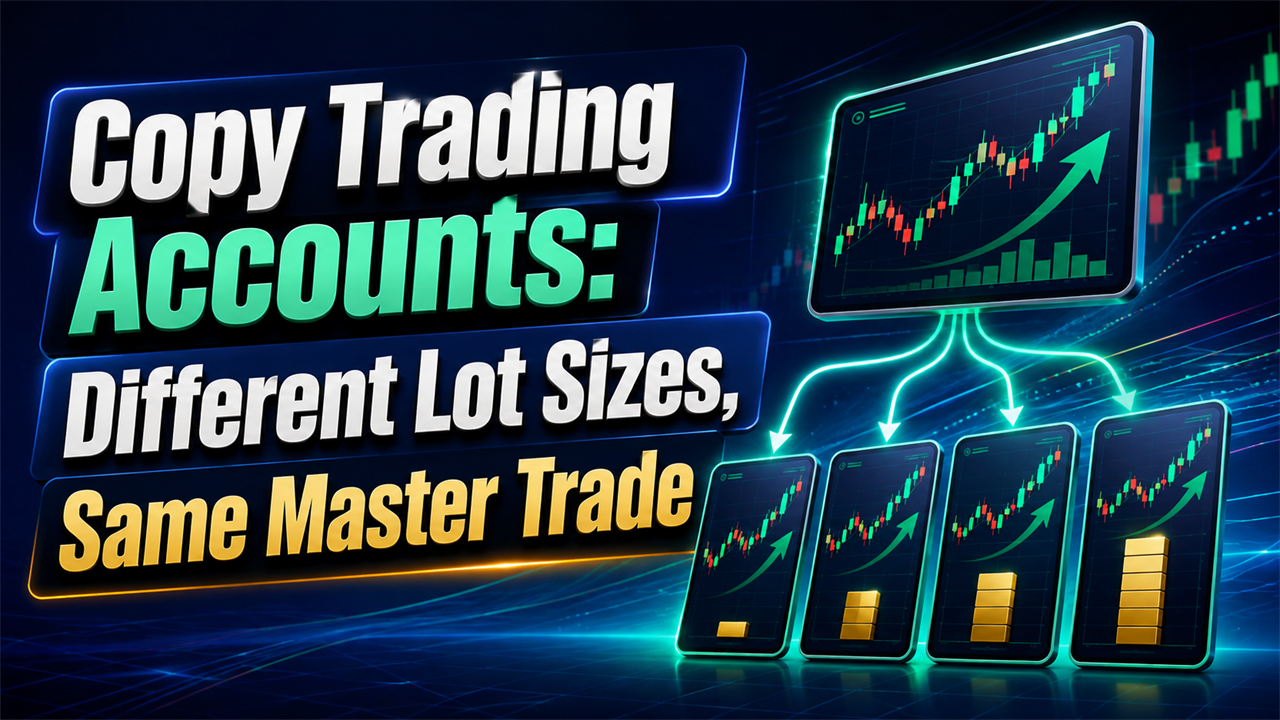
A master account opens 1.00 lot of EURUSD, but one follower has half the balance and another has much tighter loss limits. Copying 1.00 lot to every account would reproduce the trade direction correctly while creating very different risk. Copy trading accounts can follow the same master trade while using different lot sizes on each account.
The copier separates the trading signal from the receiver's position size. One account can copy 1.00 lot, another 0.50 lot, and another 0.10 lot while all three still follow the same entry, Stop Loss, Take Profit, and closure instructions.
This guide explains fixed and proportional sizing, account balance and equity, leverage, broker volume limits, changing balances, prop firm accounts, and testing before live trading.
Can Copy Trading Accounts Use Different Lot Sizes While Following the Same Master Trade?
Yes. Copy trading accounts can follow the same master trade while using different lot sizes because the receiving account can calculate its own position size before placing the copied order. A master account is the Provider account where the original trade is opened. Each follower receives that trading instruction, then its money-management rule determines how much volume to submit.
cTrader Copy uses an equity-to-equity model. The copied volume equals the investor's equity divided by the strategy Provider's equity, multiplied by the Provider's volume. A Provider with $4,000 equity trading 4 lots would therefore produce 1 lot on an investor account with $1,000 equity. (Source: cTrader Copy, 2026)
| Master trade | Follower rule | Copied lot size |
|---|---|---|
| 1.00 lot | Same volume | 1.00 lot |
| 1.00 lot | 50% | 0.50 lot |
| 1.00 lot | 25% | 0.25 lot |
| 1.00 lot | Fixed 0.10 | 0.10 lot |
| 1.00 lot | Equity based | Depends on account equity |
MetaTrader Signals uses another proportional model. MetaQuotes calculates copied volume from Provider and Subscriber funds, the deposit percentage allocated to copying, account currencies, and leverage. (Source: MetaTrader 5 Signals, 2026)
The same trade can therefore remain synchronized without every account carrying identical financial exposure.
Why Would You Use Different Lot Sizes Across Copy Trading Accounts?
Different lot sizes let each account follow the same trading strategy without forcing accounts with different balances, equity, leverage, or loss limits to take identical exposure. Equal lot sizes are only appropriate when equal volume also fits the risk plan of every receiver. A smaller account can take much more percentage risk from the same numerical lot.
| Account difference | Why position size may need to change |
|---|---|
| Smaller balance | Same lot consumes more account capital |
| Lower equity | Floating losses reduce current risk capacity |
| Lower leverage | Same position can require more margin |
| Smaller drawdown allowance | Account has less room for losses |
| Different broker contract | One lot can represent different exposure |
| Existing open positions | Available risk is already partly used |
| Prop firm limit | Account may have stricter position rules |
FX Blue gives a simple example: if a sender and receiver both trade 0.10 lot but the sender has $5,000 equity and the receiver has $2,500, the receiver takes roughly twice the relative exposure. (Source: FX Blue Personal Trade Copier, 2026)
The copy trading risk management workflow applies this principle at the receiver level. One Provider supplies the signal, while each receiver controls how much risk it accepts.
How Does a Trade Copier Calculate Position Size on Each Account?
A trade copier calculates position size by applying the receiver's selected money-management rule to the Provider trade. Common methods include fixed lots, lot multipliers, percentages, balance-based sizing, and equity-based sizing.
The sizing calculation happens before the receiver submits its order. The broker can then normalize or reject the requested volume according to the symbol's minimum, maximum, and volume-step rules.
| Sizing method | Calculation basis | Typical use |
|---|---|---|
| Fixed lot | Predetermined receiver volume | Strict account-size limits |
| Multiplier | Provider lot × multiplier | Simple proportional copying |
| Percentage | Percentage of Provider volume | Easy account scaling |
| Equity based | Provider and receiver equity | Accounts that change over time |
| Balance based | Receiver balance | Stable account-allocation model |
| Cash risk | Monetary loss at Stop Loss | Risk-per-trade control |
Copiix documents Equity to Equity, Percentage, and Fixed Lots as money-management options. Its Money Management Map can apply separate rules to individual symbols, strategy Magic Numbers, or Provider groups. (Source: Copiix Parameters Configuration, 2026)
The two most common approaches are fixed or multiplied lots and dynamic account-value sizing.
Fixed Lot and Multiplier Copying
Fixed lot sizing gives the receiver a predefined volume, while a lot multiplier increases or reduces the Provider's original lot size by a specified factor.
A lot multiplier is a numerical factor applied to the source trade. A value of 0.50 halves the Provider volume, while 2.00 doubles it.
| Provider lot | Multiplier | Receiver lot |
|---|---|---|
| 1.00 | 0.25 | 0.25 |
| 1.00 | 0.50 | 0.50 |
| 1.00 | 1.00 | 1.00 |
| 0.50 | 1.50 | 0.75 |
| 0.20 | 2.00 | 0.40 |
FX Blue provides separate UseFixedLotSize and UseLotSizeMultiplier settings. UseFixedLotSize ignores the sender's original volume, while UseLotSizeMultiplier preserves a numerical relationship with it. (Source: FX Blue MT5 Lot Sizing, 2026)
Fixed sizing creates predictable receiver volume. It does not automatically adapt when the account gains or loses equity.
Balance and Equity-Based Copying
Balance and equity-based copying changes receiver volume as account value changes, making it useful when follower accounts have different or changing capital levels.
Balance measures closed account value. Equity also includes floating profit and loss, so equity-based sizing responds to currently open positions.
A simplified equity formula is:
Receiver lot = Provider lot × Receiver equity ÷ Provider equity × multiplier
| Provider equity | Receiver equity | Provider lot | Multiplier | Receiver lot |
|---|---|---|---|---|
| $10,000 | $10,000 | 1.00 | 1.00 | 1.00 |
| $10,000 | $5,000 | 1.00 | 1.00 | 0.50 |
| $10,000 | $2,500 | 1.00 | 1.00 | 0.25 |
| $10,000 | $5,000 | 1.00 | 0.50 | 0.25 |
Dynamic sizing can keep relative account exposure closer as balances change. The final risk still depends on contract specifications and Stop Loss distance.
How Does Account Balance Affect the Size of a Copied Trade?
Account balance affects copied volume when the copier uses balance-based or proportional money management. A smaller account normally receives a smaller position when the goal is to preserve similar percentage exposure.
The relationship is easiest to see when two accounts follow the same Provider trade.
| Account | Balance | Example copied volume |
|---|---|---|
| Provider | $20,000 | 1.00 lot |
| Receiver A | $20,000 | 1.00 lot |
| Receiver B | $10,000 | 0.50 lot |
| Receiver C | $5,000 | 0.25 lot |
Balance-only calculations do not include floating P&L. A $10,000 account with a $1,500 floating loss can have much less current risk capacity than another $10,000 account with no open exposure.
The multiple-account copying setup therefore works best when each follower has an independent sizing rule instead of inheriting one universal lot ratio.
Account balance should be one input to sizing, not the only measure of acceptable risk.
Can Accounts With Different Leverage Copy the Same Trade?
Yes, accounts with different leverage can copy the same trade, but the lower-leverage account can require more margin and may need a smaller position. Leverage changes how much margin the broker requires to hold a position. It does not change the market direction of the copied signal.
MetaTrader Signals accounts for leverage when calculating subscriber volume. MetaQuotes gives an example where a 1:100 Provider opens 1 lot, but a 1:10 Subscriber opens only 0.1 lot under otherwise comparable conditions. (Source: MetaTrader Signal Volume Calculation, 2026)
| Provider leverage | Receiver leverage | Possible sizing effect |
|---|---|---|
| 1:100 | 1:500 | Receiver has greater margin capacity |
| 1:100 | 1:100 | No leverage difference |
| 1:100 | 1:50 | Receiver needs more margin |
| 1:100 | 1:10 | Receiver may need much smaller volume |
cTrader also warns that a lower-leverage follower can lack enough free margin to copy all trades from a higher-leverage Provider. (Source: cTrader Copy Investing Guide, 2026)
A copier should respect the receiving account's margin capacity rather than forcing the Provider's raw volume.
How Do Broker Lot Limits Affect Trade Copying?
Broker lot limits determine which calculated position sizes the receiver can actually submit. Every copied volume must fit the symbol's minimum lot, maximum lot, volume step, and total-volume restrictions. A copier can calculate a mathematically correct position that the broker still considers invalid.
MetaTrader exposes SYMBOL_VOLUME_MIN, SYMBOL_VOLUME_MAX, SYMBOL_VOLUME_STEP, and SYMBOL_VOLUME_LIMIT. MetaQuotes states that volumes below the minimum, above the maximum, or outside the permitted step result in an error. (Source: MQL5 Permitted Trading Volumes, 2026)
| Broker property | What it controls |
|---|---|
| Minimum volume | Smallest trade accepted |
| Maximum volume | Largest single trade accepted |
| Volume step | Permitted increments |
| Volume limit | Maximum total exposure in one direction |
| Contract size | Exposure represented by one lot |
Broker rules become especially important when copy trading accounts use different brokers.
Minimum Lot Size and Volume Steps
The minimum lot is the smallest volume the broker accepts, while the volume step defines the increments the account can trade above that minimum.
A calculated volume of 0.125 is invalid when a broker accepts only 0.01 increments. The software must normalize the order to an accepted volume or refuse it according to the configured policy.
| Calculated lot | Broker step | Possible normalized lot |
|---|---|---|
| 0.125 | 0.01 | 0.12 or 0.13 |
| 0.057 | 0.01 | 0.05 or 0.06 |
| 0.24 | 0.10 | 0.20 or 0.30 |
| 0.005 | 0.01 minimum | Below minimum |
MetaTrader displays the minimum, maximum, and volume step in the symbol specification. (Source: MetaTrader 5 Market Watch, 2026)
Maximum Trade Size
Maximum trade size limits how much volume one receiver can accept even when the Provider trades more.
The correct response can be to cap the receiver position or reject the trade, depending on the copier configuration and account risk plan.
A Provider sending 5.00 lots does not mean every follower should automatically receive 5.00 lots. Smaller accounts and accounts with stricter limits need their own maximum position settings.
The broader cross-broker copying setup explains why accepted volume, contract size, and broker specifications must be checked separately for every receiver.
What Happens When the Calculated Lot Size Is Too Small?
When the calculated lot falls below the receiver broker's minimum, the copier or copy trading platform must either round the volume to an accepted value or skip the trade. Rounding upward increases exposure, so the behavior should be known before live trading.
cTrader Copy documents that a copied trade below the investor broker's minimum volume is adjusted to the broker's allowed step. It also states that a trade above the broker's maximum ticket size will not open and insufficient margin can prevent copying completely. (Source: cTrader Copy Volume Exceptions, 2026)
| Calculated result | Broker rule | Possible outcome |
|---|---|---|
| 0.05 lot | Minimum 0.01 | Trade accepted |
| 0.005 lot | Minimum 0.01 | Rounded or skipped |
| 0.07 lot | Step 0.01 | Trade accepted |
| 0.07 lot | Step 0.10 | Normalize or reject |
| 5.00 lots | Maximum 2.00 | Cap or reject |
FX Blue exposes this choice through RoundUpToBrokerMinimum. Without that option, calculated volume below the broker minimum is not placed. (Source: FX Blue Minimum Lot Sizes, 2026)
Rounding a tiny calculated trade upward can increase percentage risk materially on a small account.
How Should Risk Management Differ Across Multiple Accounts?
Risk management should be configured independently for every receiver because each account has its own balance, equity, leverage, broker contract, existing exposure, and loss limits. The Provider should define the trade, not the risk budget of every follower.
One master trade can create very different account-level consequences.
| Receiver factor | Risk-management response |
|---|---|
| Smaller equity | Reduce copied volume |
| Existing floating loss | Reduce available risk |
| Lower leverage | Check margin before copying |
| Different contract size | Recalculate exposure |
| Tighter drawdown limit | Use smaller positions |
| Prop firm restrictions | Configure stricter account controls |
| Correlated positions | Check combined exposure |
Copiix supports account-specific money management, real-time monitoring, trade filters, and automated position sizing across its supported platforms. The current Copiix features list MT4, MT5, cTrader, unlimited accounts, percentage-based controls, and custom filtering.
The same trade can be copied everywhere without the same risk being copied everywhere.
Copy trading carries losses as well as gains. More follower accounts increase aggregate exposure even when every individual account uses conservative sizing.
Can Every Account Use Its Own Copy Trade Settings?
Yes, a suitable multi-account trade copier should let every receiver use independent position sizing, symbols, filters, and account-level risk settings. One Provider can therefore send the same signal while each follower processes it differently.
Receiver-level configuration becomes more important as the account network grows.
| Receiver setting | Account-specific use |
|---|---|
| Position-sizing method | Match account capital |
| Multiplier | Increase or reduce copied volume |
| Maximum lot | Cap individual exposure |
| Symbol mapping | Match broker instrument names |
| Trade filters | Restrict eligible signals |
| Drawdown control | Stop account-specific losses |
| Provider selection | Control signal source |
Copiix's Money Management Map can assign sizing rules by symbol, Magic Number, or Provider group. That allows one follower to use fixed lots for one strategy and equity-based sizing for another without changing the Provider trade.
Independent settings also make troubleshooting easier. One account can be paused or adjusted without rebuilding the entire copy trading setup.
Should Prop Firm Accounts Use the Same Lot Size?
Prop firm accounts should use the same lot size only when that volume fits the rules and risk budget of every account involved. Account size, drawdown rules, maximum exposure, and permitted copier use should be checked independently.
A prop firm can impose restrictions that do not exist on a personal trading account.
Before copying to a prop firm account, verify:
- Current maximum position size
- Daily loss or drawdown rules
- Account stage
- Permitted trading platforms
- Copier restrictions
- Account ownership rules
- Strategy restrictions
A smaller funded account can require a lower lot multiplier even when it follows the same master strategy.
Never configure trade copier software to avoid detection or work around a prop firm rule. The firm's current rulebook determines whether the account can participate.
How Can Different Lot Sizes Affect Profit and Drawdown?
Different lot sizes change the monetary profit and loss generated by the same price movement. A receiver with half the position size generally experiences about half the position-level P&L when the contract specifications and execution are otherwise equivalent.
Lot size scales exposure. It does not change whether the underlying trade moves in the Provider's favor.
| Price outcome | 1.00 lot | 0.50 lot | 0.25 lot |
|---|---|---|---|
| Same favorable move | Highest P&L | About half | About one-quarter |
| Same adverse move | Highest loss | About half | About one-quarter |
| Percentage drawdown | Depends on account equity | Depends on account equity | Depends on account equity |
The relationship becomes less exact when brokers use different contracts, spreads, commissions, or execution prices.
Past performance on the master account also does not guarantee future results on followers. A smaller lot reduces exposure, but it does not make a losing trading strategy profitable.
What Happens When Account Balances Change After Copy Trading Starts?
When account balances or equity change, dynamic sizing models can alter the volume of future copied trades and can sometimes adjust existing positions. The exact behavior depends on the copy trading platform.
cTrader Copy recalculates volume after deposits or withdrawals because its model uses the current equity relationship between Provider and investor. It states that open positions and future trades can be adjusted when those account values change. (Source: cTrader Copy Equity Adjustments, 2026)
| Balance event | Fixed lot | Equity-based sizing |
|---|---|---|
| Deposit | No automatic size change | Future size can increase |
| Withdrawal | No automatic size change | Future size can decrease |
| Floating loss | No automatic size change | Equity-based size can decrease |
| Floating gain | No automatic size change | Equity-based size can increase |
A fixed-lot receiver behaves differently because its configured volume remains unchanged until the trader edits it.
Review sizing after deposits, withdrawals, payouts, or major drawdowns. The original lot relationship may no longer represent the intended risk.
Can You Change Position Sizing While Trades Are Already Open?
Yes, some copy trading systems let you change sizing settings while positions are open, but doing so can trigger position adjustments. Changes should be made only after understanding how the specific copier synchronizes existing trades.
MetaTrader Signals specifically warns against changing Use no more than [A] % while signal positions are open. A change in the copying percentage can cause the platform to correct current volume through position increases or partial closes. (Source: MetaTrader Signal Subscriber Settings, 2026)
| Change | Possible effect |
|---|---|
| Lower copy percentage | Existing position can be reduced |
| Higher copy percentage | Existing position can increase |
| Change fixed lot | Often affects future trades |
| Change multiplier | Copier-specific behavior |
| Change equity rule | Future and existing exposure may differ |
Do not assume a new multiplier applies only to the next trade. Check the software documentation first.
When changing receiver sizing in Copiix, verify the exact Money Management settings and current open positions before resuming normal copying.
How Should You Test Lot Sizing Before You Start Copy Trading?
Test lot sizing with demo accounts before live trading and verify the actual receiver volume for several Provider sizes, account balances, and broker limits. The goal is to prove how the calculation behaves before real capital or funded-account rules are involved.
MetaTrader demo accounts provide the same platform functions using virtual funds, making them suitable for checking trading operations without live-money exposure. (Source: MetaTrader 5 Demo Accounts, 2026)
| Test | Provider action | Expected receiver result |
|---|---|---|
| Same-size test | Open 1.00 lot | Confirm configured 1:1 volume |
| 50% test | Open 1.00 lot | Confirm 0.50 lot |
| Small trade | Open 0.01 lot | Check broker minimum behavior |
| Large trade | Open oversized demo trade | Confirm maximum-lot behavior |
| Equity change | Change demo account value | Confirm dynamic sizing |
| Different leverage | Compare two account types | Confirm margin behavior |
| Partial close | Reduce Provider volume | Confirm proportional reduction |
| Restart | Restart terminals | Confirm settings persist |
Test the exact broker combinations planned for live use. A 0.01 lot step on one account does not prove that another broker accepts the same size.
If a Copiix lot calculation or receiver behavior remains unclear after checking the account settings and logs, get support with the Provider volume, Copyer sizing method, broker, symbol, account equity, and calculated result.
Copy Trading Accounts and Lot Sizes: Matching Every Trade Without Matching Every Risk
Copy trading accounts can follow the same master trades without using the same lot size because trade replication and position sizing are separate functions. The safest setup applies the trading signal consistently while sizing every receiver around its own capital and limits.
The correct lot-sizing method depends on how closely each follower should track the Provider's risk.
| Account situation | Sizing approach to evaluate |
|---|---|
| Equal accounts | Same size or proportional sizing |
| Different balances | Balance or equity scaling |
| Fixed exposure limit | Fixed lot |
| Smaller follower | Reduced multiplier |
| Different leverage | Margin-aware scaling |
| Prop firm account | Account-specific cap |
| Different broker | Normalize to broker volume rules |
| Changing equity | Dynamic equity-based sizing |
Copiix's core local copier supports unlimited follower accounts across MT4, MT5, and cTrader on Windows, Linux, and macOS. Core features remain free permanently with no mandatory registration or subscription.
MetaTrader and cTrader are trademarks of MetaQuotes and Spotware respectively. Copiix is compatible with those platforms and independent of their owners.
Set Up Trade Copying Around the Risk of Each Account
Start with one Provider and one Copyer, confirm the lot calculation, then add accounts only after every receiver produces the intended size.
Before expanding the setup:
- Choose the sizing method.
- Check balance and equity.
- Check account leverage.
- Verify minimum and maximum lot.
- Confirm the volume step.
- Set an account-level maximum.
- Test partial closes.
- Recheck sizing after balance changes.
Copy trading reproduces losses at the same speed as gains, so position sizing should be tested before multiple accounts carry the same strategy.
Once every receiver's lot sizing has been verified, download Copiix and configure the local multi-account setup.
Frequently Asked Questions About Copy Trading Accounts and Lot Sizes
Can two copy trading accounts follow the same trade with different lot sizes?
Yes, two accounts can follow the same entry and exit while using different volume. The copier can apply a different multiplier, fixed lot, or proportional calculation to each follower.
The accounts remain linked to the same Provider trade even though their monetary profit and loss differ.
Can a trade copier calculate lot size from account balance automatically?
Yes, compatible trade copier software can calculate volume from account balance or equity. Dynamic sizing is useful when follower accounts have different capital levels.
The broker still controls the final minimum, maximum, and volume step accepted for the symbol.
What happens if the copied lot size is below the broker minimum?
The trade can be rounded to the broker minimum or skipped, depending on the platform or copier configuration. Rounding upward increases the exposure above the original calculation.
Test this behavior before using small multipliers on live accounts.
Can accounts with different leverage follow the same master trade?
Yes, but the lower-leverage account can require more margin and may need a smaller trade. A copied signal does not override the receiver broker's margin requirements.
Check free margin as well as the numerical lot size before treating the two accounts as equivalent.
Should prop firm accounts use smaller lot sizes when copying trades?
They should use whatever position size fits the account's current risk rules and the prop firm's permitted limits. Smaller accounts or accounts closer to a drawdown boundary often require lower exposure.
Check the firm's current rulebook before connecting any copier.
Can you change the lot multiplier without stopping the trade copier?
Many copiers allow sizing settings to be changed while the software is running. The effect on already open positions depends on the copier.
Review the documented synchronization behavior first. A sizing change can affect more than future entries on some copy trading systems.