
Copy Trading Risk Management: Lot Sizing & Drawdown Controls
Copying multiplies risk across every linked account. Set lot ratios, drawdown caps, and per-account targets before you scale to multiple receivers.
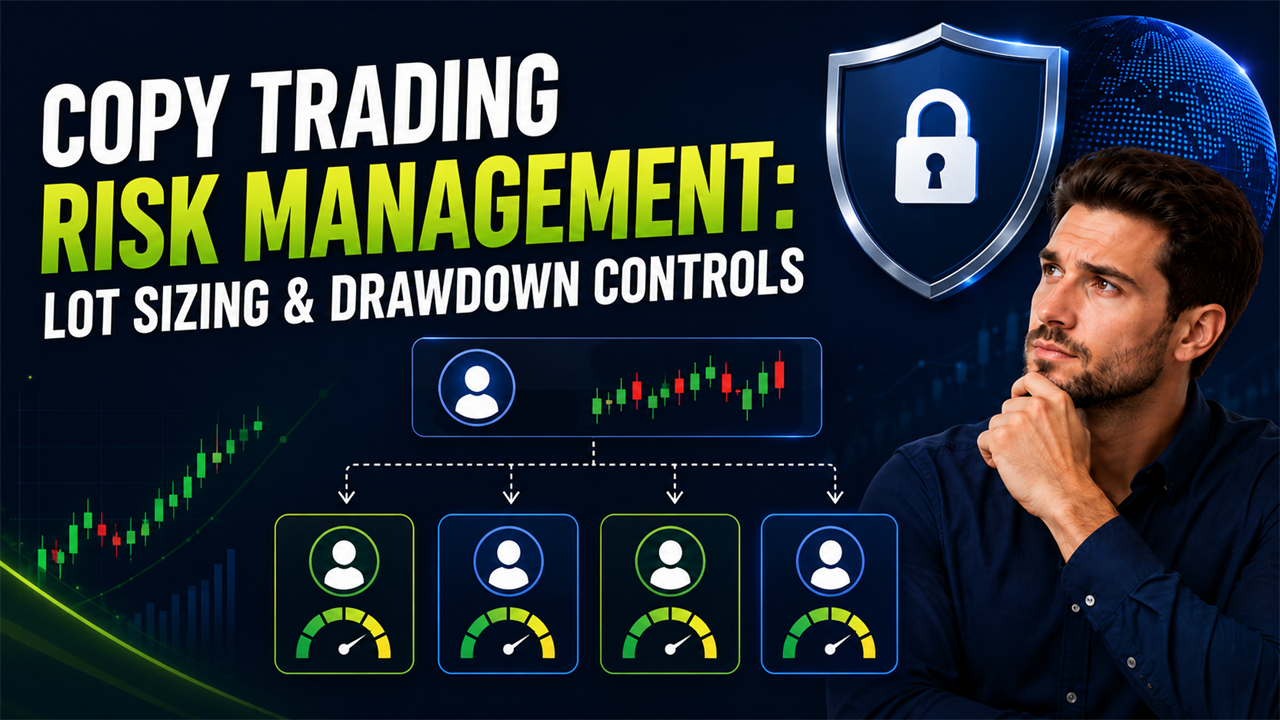
A provider opens one oversized position, and the same trade appears across every connected receiver before you can intervene. The original mistake has not created one loss. It has distributed the same risk decision across the entire account network, which is why copy trading risk management must be configured before multiple receivers are connected.
The provider supplies the trading instruction, but each receiver holds a separate position with its own margin, balance, contract, and loss limits. A safe setup therefore scales risk at the receiver level instead of assuming that one provider lot is suitable for every account.
This guide explains lot sizing, Money Management Mapping, drawdown controls, profit targets, leverage differences, correlated exposure, receiver filters, and testing before a multi-account setup is expanded.
How Does Copy Trading Multiply Risk Across Multiple Accounts?
Copy trading multiplies exposure: one bad provider trade hits every receiver at once. Effective control means sizing each receiver by its own balance rather than mirroring raw lots, capping drawdown per account, and setting profit targets that pause copying automatically. Money Management Mapping and drawdown controls handle this at the copier level rather than relying on manual monitoring.
Copying does not combine the accounts into one portfolio at the broker. Each receiver creates a separate position, incurs its own spread and commission, and absorbs its own profit or loss.
The trader’s aggregate exposure is the sum of the risk carried by every connected account. Five receivers risking $200 on the same provider trade create $1,000 of total exposure across the network, even though no individual account risks more than $200.
The CFTC explains that margin allows a trader to control a position much larger than the amount deposited. Its example shows that a 2% margin requirement can support a $100,000 position with $2,000, which demonstrates how leverage amplifies both gains and losses. (Source: CFTC, 2022).
| Connected accounts | Risk on each account | Aggregate network risk |
|---|---|---|
| 1 provider only | $200 | $200 |
| 1 provider and 2 receivers | $200 each | $600 |
| 1 provider and 4 receivers | $200 each | $1,000 |
| 1 provider and 9 receivers | $200 each | $2,000 |
The total financial effect also includes:
- Spread differences across brokers
- Commission charged on every account
- Swap charged on positions held overnight
- Slippage during entries and exits
- Rejected protective orders
- Different account currencies
- Different drawdown calculations
The provider trade should be treated as a distribution event. Before it opens, the trader should already know the maximum loss permitted on every receiver and across the complete account network.
Why Should Each Receiver Account Have Its Own Risk Rules?
Each receiver needs its own risk rules because balance, equity, leverage, margin mode, broker specifications, and account limits can differ. One universal lot size cannot preserve equal risk across accounts with different conditions.
A receiver account is a connected account that executes copied instructions from the provider. It remains financially independent even when the provider controls its trade direction and timing.
MetaTrader exposes account-specific values for equity, free margin, margin level, margin-call level, and stop-out level. It also supports different margin modes, including retail netting and retail hedging, which means two MT5 receivers can handle exposure differently. (Source: MQL5 Account Properties, 2026).
| Receiver characteristic | Why it changes risk |
|---|---|
| Balance | Determines the account’s capital base |
| Equity | Includes current floating profit and loss |
| Leverage | Changes the margin required to hold a position |
| Account currency | Changes the monetary value of profit and loss |
| Broker contract size | Changes the exposure represented by one lot |
| Volume step | Controls which lot sizes the broker accepts |
| Daily loss limit | Restricts losses within one trading day |
| Maximum drawdown | Restricts the account’s total decline |
| Netting or hedging mode | Changes how same-symbol positions are combined |
| Existing exposure | Reduces the capacity available for copied trades |
A $100,000 account with no open positions can accept a larger trade than a $100,000 account already carrying substantial floating loss. Balance-only sizing ignores that difference because balance does not include open profit and loss.
Each receiver should therefore have its own:
- Position-sizing method
- Maximum lot cap
- Drawdown threshold
- Profit target
- Symbol filters
- Provider permissions
- Stop-loss rules
- Emergency pause procedure
Receiver-specific rules prevent the provider from becoming the only risk control. The provider decides what to trade, while the receiver decides how much exposure it can safely accept.
How Do You Set Lot Sizes Across Accounts With Different Balances?
Set lot sizes by selecting a receiver-side money management method that matches the relationship between the provider and receiver. Fixed sizing provides predictable volume, while equity-based sizing adjusts automatically as account values change.
A lot is the platform’s standardized measure of trade volume. The financial exposure represented by one lot depends on the instrument and the broker’s contract specification.
Copiix provides three primary sizing combinations: Equity To Equity, Percentage, and Fixed. Each receiver can apply its own method instead of inheriting the provider’s raw numerical volume. (Source: Copiix FAQ, 2026).
| Sizing method | Receiver calculation | Suitable use |
|---|---|---|
| Fixed | Uses a defined receiver lot | Testing or strict volume limits |
| Percentage | Copies a percentage of the provider lot | Simple proportional scaling |
| Equity To Equity | Scales by provider and receiver equity | Accounts with different or changing values |
| Multiplier | Adjusts the calculated volume | Additional risk reduction or expansion |
Fixed Lot and Lot Multiplier Settings
Fixed Lot uses a predetermined receiver volume, while a lot multiplier increases or reduces the volume calculated from the provider trade.
A fixed lot of 0.05 instructs the receiver to use that volume regardless of whether the provider opens 0.10, 0.50, or 1.00 lot. This method creates predictable receiver exposure but disconnects sizing from the provider’s risk changes.
A lot multiplier preserves a relationship with the provider. A 0.50 multiplier halves the copied volume, while a 1.50 multiplier increases it by 50%.
| Provider lot | Multiplier | Receiver lot before broker rounding |
|---|---|---|
| 1.00 | 0.25 | 0.25 |
| 1.00 | 0.50 | 0.50 |
| 1.00 | 1.00 | 1.00 |
| 0.40 | 1.50 | 0.60 |
| 0.20 | 2.00 | 0.40 |
Fixed sizing works best when the receiver has a stable account size and trades instruments with known contract specifications. It becomes unreliable when the provider changes stop distances or switches between instruments with different tick values.
A maximum lot cap should sit above the sizing method. The cap prevents an unusually large provider order or an incorrect multiplier from creating an oversized receiver position.
Balance-Based and Equity-Based Sizing
Balance-based sizing uses closed-account value, while equity-based sizing includes the floating profit and loss of open positions. Equity-based sizing responds faster when an account is already under pressure.
Copiix’s Equity To Equity method uses this structure:
Receiver lot = Provider lot × Receiver equity ÷ Provider equity × Multiplier
A provider with €10,000 equity opens 1.00 lot. A receiver with €2,000 equity and a 0.50 multiplier produces a calculated receiver size of 0.10 lot.
| Provider equity | Receiver equity | Provider lot | Multiplier | Calculated receiver lot |
|---|---|---|---|---|
| €10,000 | €10,000 | 1.00 | 1.00 | 1.00 |
| €10,000 | €5,000 | 1.00 | 1.00 | 0.50 |
| €10,000 | €2,000 | 1.00 | 0.50 | 0.10 |
| €20,000 | €5,000 | 0.80 | 0.75 | 0.15 |
The calculated size must still match the broker’s minimum lot and volume step. A value of 0.125 may need to become 0.12 or 0.13, depending on the receiver symbol.
Equity-based sizing protects a receiver from continuing to use its original volume after floating losses reduce available capital. It should still be combined with a maximum lot and account-level drawdown limit.
How Do You Map Risk Instead of Copying Raw Lot Sizes?
Map risk by assigning different sizing rules to symbols, strategies, providers, or Magic Numbers instead of using one default ratio for every signal. This prevents a single lot rule from treating low-volatility and high-volatility trades as equivalent.
Money Management Mapping is a rule system that selects the receiver sizing method according to a specified identifier. The identifier can be a symbol, symbol group, Magic Number, or provider ID.
Copiix’s changelog documents support for labels or Magic Numbers inside the Money Management Map and macro mapping by provider ID. It also records updates that align calculated volume with the required symbol step. (Source: Copiix Changelog, 2026).
| Map condition | Example receiver rule | Risk purpose |
|---|---|---|
EURUSD | Equity To Equity 0.75 | Moderate major-pair exposure |
XAUUSD | Percentage 25% | Reduce metal volatility exposure |
BTCUSD | Fixed 0.01 | Limit cryptocurrency volume |
Magic Number 111111 | Fixed 0.02 | Restrict a scalping EA |
Magic Number 222222 | Equity To Equity 0.50 | Scale a swing strategy |
| Provider A | Percentage 50% | Reduce one provider’s influence |
| Provider B | Equity To Equity 1.00 | Use standard receiver scaling |
A map should answer three questions before the receiver accepts a signal:
- Which provider or strategy created the trade?
- Which instrument will the receiver trade?
- Which risk method applies to that combination?
The default money management rule acts as a fallback. A specific map entry should override the default only when its symbol, Magic Number, or provider condition matches.
Money Management Mapping is an optional donation-supported feature in current Copiix tiers. The core copier remains free permanently, while Premium and Leader access activates additional controls for 30 days in return for supporting development.
Incorrectly overlapping rules can cause unexpected sizing. Build the map from the most specific condition to the broadest fallback, then verify every branch on a demo account.
How Can You Limit Drawdown on Each Receiver Account?
Limit drawdown by setting a loss threshold for each receiver that reflects its own equity, account rules, and existing exposure. The threshold should stop further risk before the broker or prop firm’s hard limit is reached.
Drawdown is the decline from a reference balance or equity level to a lower value. The reference can be an initial balance, the start-of-day equity, or a moving equity peak.
Copiix’s guide to drawdown and target planning explains that multiple signals can overlap and create cumulative losses that are not visible when each provider is viewed separately.
A receiver should track both realized and floating loss. An account can remain above its balance-based limit while open positions have already pushed equity below the intended risk threshold.
Daily Loss Limits
A daily loss limit restricts how much the receiver can lose during one defined trading day. It must include all costs and open losses counted by the broker or prop firm.
The calculation period should use the account provider’s server timezone. A reset based on local midnight can produce the wrong available-loss figure when the broker resets at another time.
Daily loss monitoring should include:
- Closed losses since the reset
- Floating losses on open positions
- Commissions
- Swap charges
- Financing fees
- Losses from manual trades
- Losses from every connected provider
- Positions held across the reset
| Account equity at reset | Daily loss cap | Loss already used | Remaining allowance |
|---|---|---|---|
| $100,000 | $5,000 | $0 | $5,000 |
| $100,000 | $5,000 | $1,200 | $3,800 |
| $100,000 | $5,000 | $3,750 | $1,250 |
| $100,000 | $5,000 | $4,800 | $200 |
A receiver with only $200 of daily capacity should not accept a trade that can lose $500 at its stop. The copier should pause that receiver before the trade opens rather than relying on manual closure afterward.
Maximum Account Drawdown
Maximum account drawdown limits the total permitted decline over the account’s life or from its highest permitted reference value. Static and trailing drawdown models require different buffers.
A static limit stays fixed relative to the starting balance. A trailing limit rises when the account reaches a new equity or balance high, which reduces the room available after profits are made.
| Drawdown model | Reference point | Main risk |
|---|---|---|
| Static balance | Initial account balance | Limit does not move |
| Daily equity | Equity at the daily reset | Floating loss can consume the allowance |
| Trailing balance | Highest closed balance | Profits can raise the threshold |
| Trailing equity | Highest observed equity | Open profits can tighten the threshold |
| Monetary cap | Fixed currency amount | Percentage risk changes as equity changes |
Set the copier threshold inside the external hard limit. A firm with a 10% maximum loss limit should not receive a copier threshold at exactly 10% because spreads, slippage, and closing delays can push the account beyond it.
A practical internal cap leaves enough room for:
- Exit slippage
- Spread expansion
- Commission on closure
- Swap posting
- Delayed synchronization
- Partial-fill differences
How Do Profit Targets Help Control Multi-Account Copying?
Profit targets stop a receiver from continuing to accept risk after it reaches a planned account objective. They create an operational endpoint instead of allowing profitable accounts to remain exposed indefinitely.
A profit target is a defined gain measured in percentage or monetary terms. It is a control point, not a promise that the account will reach that amount.
Copiix introduced global drawdown and target controls in version 3.069. The advanced drawdown and target controls let traders define maximum loss boundaries and profit objectives for copying operations.
| Target type | Example | Suitable use |
|---|---|---|
| Daily monetary target | Stop after +$500 | Daily account management |
| Daily percentage target | Stop after +1% | Accounts with changing balances |
| Evaluation objective | Pause near +8% | Prop firm challenge management |
| Monthly target | Stop after +4% | Longer operating cycle |
| Receiver-specific target | Different cap per account | Accounts with separate objectives |
Targets reduce the risk of giving back profits through unnecessary trades. They are especially useful when a provider continues trading after one receiver has already completed its own objective.
Each target should define:
- The measurement starting point
- Whether floating profit counts
- Whether open positions close at the target
- Whether pending orders are canceled
- Whether copying pauses afterward
- How and when the target resets
A target should not force oversized trading to reach it faster. Position sizing remains tied to acceptable loss, not to the distance remaining before the profit objective.
What Happens When a Receiver Reaches Its Risk Limit?
When a receiver reaches its configured drawdown or profit target, the copier should isolate that account and apply the selected limit action. Copiix can automatically close open trades and optionally remove pending orders when its global drawdown or target control is triggered.
The limit response must be defined before trading begins. Closing positions, canceling pending orders, and stopping new signals solve different problems.
Copiix documents that enabled Drawdown and Target Management automatically closes all open trades and can also close pending orders when the global threshold is reached. Its disconnect control stops new signal transmission or reception while allowing pending operations to finish safely. (Source: Copiix Parameters Configuration, 2026).
| Limit action | What it does | Main use |
|---|---|---|
| Block new signals | Prevents additional positions | Preserve the current state |
| Close open trades | Removes market exposure | Enforce a hard loss or profit endpoint |
| Cancel pending orders | Prevents later activation | Complete risk shutdown |
| Disconnect receiver | Isolates one terminal | Contain account-specific problems |
| Send notification | Alerts the trader | Manual review and documentation |
| Require manual restart | Prevents automatic re-entry | Confirm the account is safe |
An account should not resume automatically unless the reset condition is clear. A daily limit can reset at the next trading day, while a maximum drawdown breach should normally require a full review.
The trader should inspect:
- Which trades caused the threshold
- Whether all closures succeeded
- Whether pending orders remain
- Whether another provider is still connected
- Whether the limit calculation matched the external rule
- Whether slippage exceeded the planned buffer
A risk limit is effective only when it changes account behavior. A dashboard warning without a block, closure, or isolation action still leaves the account exposed.
How Should You Handle Accounts With Different Leverage and Contract Sizes?
Handle different leverage and contract sizes by calculating margin and loss exposure on each receiver instead of copying one numerical lot across all accounts. Leverage changes margin usage, while contract size and tick value determine how much the position gains or loses.
Leverage controls how much margin is required to support a position. It does not reduce the position’s market exposure or the loss created by a given price move.
MetaTrader’s OrderCalcMargin() calculates the margin required for a specified order type, symbol, volume, and price on the current account. MetaQuotes notes that the returned margin depends on the account and market environment. (Source: MQL5 OrderCalcMargin, 2026).
| Account difference | What changes | Required adjustment |
|---|---|---|
| Lower leverage | More margin required | Reduce volume or free margin elsewhere |
| Higher leverage | Less margin required | Keep risk based on stop loss, not margin alone |
| Larger contract size | More exposure per lot | Reduce the receiver lot |
| Different tick value | Different P&L per price move | Recalculate stop-loss risk |
| Different account currency | Conversion changes P&L | Include currency conversion |
| Different volume step | Lot must be rounded | Validate the final receiver size |
| Different margin mode | Hedged positions may use different margin | Review account specifications |
MetaTrader symbol properties distinguish initial margin, maintenance margin, and hedged margin. The broker can also apply different margin calculations according to the instrument and account mode. (Source: MQL5 Symbol Properties, 2026).
Compare these fields before linking accounts:
- Contract size
- Tick size
- Tick value
- Minimum volume
- Maximum volume
- Volume step
- Margin currency
- Initial margin
- Maintenance margin
- Trading session
The same 0.10 lot can represent different exposure on forex, gold, equity indices, cryptocurrencies, and futures. Risk should be calculated from the receiver’s contract, entry price, and stop distance.
How Do Stop Losses and Take Profits Protect Copied Positions?
Stop losses limit the planned downside of a copied position, while take profits close it at a defined favorable level. Both levels should be validated against the receiver broker’s price and contract rules.
A stop loss is a broker instruction to close a position when price reaches an adverse level. A take profit closes the position when price reaches a favorable target.
MetaTrader states that Stop Loss and Take Profit are instructions for the broker to close a position at specified levels. Broker-side orders can remain active when the terminal is offline, although execution can differ between brokers. (Source: MetaTrader 5 Executing Trades, 2026).
| Protective control | Risk function | Receiver-specific issue |
|---|---|---|
| Stop loss | Defines planned maximum price risk | Broker quote may differ |
| Take profit | Defines planned exit objective | Receiver can reach the price at another time |
| Trailing stop | Moves protection with favorable price | Often requires the terminal to remain active |
| Break-even move | Reduces remaining downside | Entry-price differences affect the level |
| Partial close | Reduces position exposure | Receiver volume step affects the amount |
Copiix’s guide to stop-loss and take-profit copying explains that broker price differences, spreads, and execution timing can prevent identical protective levels from behaving identically.
A copied stop should preserve risk distance where practical. Copying the provider’s exact price can create a tighter or wider stop when the receiver broker quotes the instrument differently.
Protective levels do not guarantee the planned exit price. Gaps, low liquidity, and fast markets can cause the broker to fill the closure at the next available price.
Every receiver should confirm:
- The stop was accepted
- The take profit was accepted
- The levels apply to the correct position
- The distance is valid for the broker
- The price has not already crossed the level
- The monetary loss remains within the account limit
How Can Correlated Trades Increase Total Exposure?
Correlated trades increase exposure when several positions respond to the same market factor, even though they use different symbols. Counting each ticket separately can hide one concentrated directional bet.
Correlation describes how two instruments tend to move relative to each other. It changes over time, so a historical relationship should not be treated as a permanent hedge.
Several trades can express the same underlying view:
| Copied positions | Shared exposure |
|---|---|
| Buy EURUSD and buy GBPUSD | Both can increase short-USD exposure |
| Buy EURUSD and sell USDCHF | Both can depend on USD weakness |
| Buy XAUUSD and sell USDJPY | Both can react to risk-off or USD factors |
| Buy several equity indices | Concentrated broad equity exposure |
| Buy oil and oil-linked currencies | Shared commodity factor |
| Multiple EAs buying one symbol | Duplicate direct exposure |
If three separate trades each risk 1% of the account but all depend on the same market move, the effective scenario risk approaches 3%. The separate tickets do not create diversification when the trades fail together.
Correlation controls should consider:
- Common quote currency
- Common base currency
- Shared asset class
- Shared economic event
- Duplicate symbols
- Multiple providers using similar strategies
- Positions that increase the same directional exposure
Use symbol groups inside Money Management Mapping to apply a lower multiplier to related instruments. A group-level cap can also prevent several individually acceptable trades from exceeding the receiver’s total risk allowance.
Should Every Receiver Copy Every Provider Trade?
No, every receiver should copy only the provider trades that fit its account rules, strategy purpose, and remaining risk capacity. Selective copying is safer than treating every signal as mandatory.
A provider can trade instruments that one receiver does not support. Another receiver may have already reached its daily risk limit or may prohibit that strategy under its broker or prop firm rules.
Receiver filters can separate trades by:
- Symbol
- Direction
- Lot range
- Magic Number
- Provider ID
- Trade type
- Strategy label where supported
- Account stage
- Scheduled trading period
| Receiver type | Suitable filter |
|---|---|
| Forex-only account | Exclude metals, indices, and cryptocurrencies |
| Swing account | Exclude a scalping Magic Number |
| Prop firm account | Exclude restricted instruments or strategies |
| Small receiver | Block trades above a maximum lot |
| Long-only strategy | Exclude Sell signals |
| News-restricted account | Pause copying during prohibited periods |
| Single-provider account | Accept signals from one Provider ID |
Copiix documentation describes symbol, direction, lot-size, and strategy-specific controls. It also supports scheduled pauses and provider-to-Copyer selection, allowing each receiver to accept a defined subset of activity. (Source: Copiix Overview, 2026).
Filters should implement an existing risk policy. They should not be used to hide activity or bypass a broker or prop firm restriction.
How Do You Prevent One Account Error From Affecting the Rest?
Prevent one account error from spreading by isolating every receiver’s connection, sizing, filters, limits, and recovery actions. One rejected or misconfigured account should not change the behavior of the other receivers.
A provider-to-receiver network should use a star structure where each follower connects independently to the provider. Chaining Receiver A into Receiver B creates an unnecessary dependency and can pass an error farther through the network.
| Error | Isolation control |
|---|---|
| Wrong lot size | Receiver-specific money management |
| Symbol not found | Separate prefix, suffix, or Translate rule |
| Insufficient margin | Receiver margin check and lot cap |
| Drawdown reached | Pause only the affected receiver |
| Broker disconnected | Keep other receiver routes active |
| Stop loss rejected | Log and manage the affected position |
| Duplicate signal | Unique provider route and terminal ID |
| Platform crash | Restart only the failed terminal |
| Prop firm rule change | Disconnect the affected account |
Use descriptive account aliases such as BrokerA-Live-50K or FirmB-Challenge-100K. Generic labels such as Account 1 and Account 2 make configuration mistakes more likely.
An error-containment checklist should include:
- One Copiix component per terminal
- One clearly defined Provider route
- Separate receiver parameters
- Separate drawdown thresholds
- Separate logs
- Separate restart procedures
- No circular copying relationships
- No automatic reconnection after an unexplained breach
The trader should investigate a receiver error before reconnecting it. Repeated retries can create duplicate positions or delayed entries after market conditions have changed.
How Should You Test Risk Settings Before Adding More Accounts?
Test one provider and one receiver first, then add receivers in controlled stages. Each stage should prove sizing, protection, drawdown, target, error, and recovery behavior before the network grows.
A demo connection confirms more than whether a trade opens. It must show that the receiver handles the entire trade lifecycle and every configured risk boundary.
Copiix recommends creating a simple setup with one Provider and one Copyer, applying basic money management, observing the behavior without live risk, and reviewing configuration errors. (Source: Copiix Getting Started Documentation, 2026).
| Test phase | Accounts | What to verify |
|---|---|---|
| Phase 1 | 1 provider and 1 receiver | Basic connection and lot sizing |
| Phase 2 | 1 provider and 2 receivers | Independent receiver rules |
| Phase 3 | Full demo network | CPU, memory, and simultaneous execution |
| Phase 4 | Minimum live exposure | Broker fills and real costs |
| Phase 5 | Planned live network | Ongoing monitoring and limits |
The test should include:
- Market Buy and Sell orders
- Pending orders
- Different provider lot sizes
- Minimum and maximum receiver volume
- Stop-loss and take-profit changes
- Partial closures
- Full closures
- Receiver disconnection
- Provider restart
- Invalid symbols
- Insufficient margin
- Drawdown threshold activation
- Profit-target activation
Record the expected and actual result for each event. A setting should not move into live use until the discrepancy has been explained.
When a Copiix configuration or error message remains unclear, include the software version, platform build, provider and receiver IDs, broker symbols, risk method, and full log entry when you contact the Copiix team.
How Does Copiix Manage Risk Across Multiple Receivers?
Copiix manages multi-account risk by giving each Copyer its own position sizing, filters, symbol rules, drawdown controls, targets, and connection state. The Provider supplies the signal, but each receiver controls how that signal becomes account exposure.
The core local copier supports unlimited account connections across MT4, MT5, and cTrader. Core copying remains free permanently with no mandatory registration or subscription.
The Copiix risk management features include percentage-based controls, automated position sizing, trade filters, real-time monitoring, and multi-platform account support.
| Copiix capability | Risk-management use |
|---|---|
| Equity To Equity | Scales volume according to account equity |
| Percentage | Copies a defined share of provider volume |
| Fixed | Applies predictable receiver volume |
| Maximum lot filtering | Blocks oversized instructions |
| Money Management Map | Applies rules by symbol, strategy, or provider |
| Symbol filter | Excludes unwanted instruments |
| Direction filter | Restricts Buy or Sell signals |
| Magic Number filter | Separates automated strategies |
| SL/TP controls | Manages copied protection levels |
| Drawdown control | Enforces a maximum loss boundary |
| Profit target | Stops exposure at a planned objective |
| Terminal map | Shows Provider and Copyer relationships |
| Pause and disconnect | Isolates selected routes |
| Real-time logs | Records copying and errors |
A provider decides when to trade, but every receiver must decide how much risk it can accept.
The current Copiix model separates free core functionality from optional donation-supported additions. Premium is €9 for 30 days, while Leader is €35 for 30 days. Both tiers support development rather than replacing the permanently free core copier. (Source: Copiix Donation Tiers, 2026).
Copiix runs on Windows, Linux, and macOS and supports MetaTrader 4, MetaTrader 5, and cTrader. It is independent of MetaQuotes and Spotware and does not imply endorsement by either platform owner.
Copy Trading Risk Management: Lot Sizing and Drawdown Takeaways
Effective copy trading risk management separates the provider’s trading decision from every receiver’s account limits. Safe scaling requires receiver-specific sizing, exposure caps, drawdown thresholds, targets, filters, and testing.
The number of connected accounts should never determine whether the setup is safe. The important figure is the maximum loss the full network can create when every receiver is exposed at once.
| Risk area | Required control |
|---|---|
| Position size | Equity-based, percentage, or fixed receiver sizing |
| Oversized trades | Maximum lot cap |
| Different instruments | Contract and tick-value checks |
| Different leverage | Receiver margin calculation |
| Strategy concentration | Magic Number and Provider ID mapping |
| Correlated exposure | Symbol-group risk caps |
| Daily loss | Receiver-specific daily threshold |
| Maximum drawdown | Internal cap below the hard account limit |
| Profit protection | Receiver-specific target action |
| Trade selection | Symbol, direction, and strategy filters |
| Account errors | Independent routes and logs |
| Scaling | Phased demo and live testing |
Before adding another receiver:
- Calculate its maximum loss per trade.
- Calculate its remaining daily loss allowance.
- Check its contract specifications.
- Confirm the accepted volume step.
- Assign a clear account alias.
- Apply the correct provider filters.
- Test its drawdown and target actions.
- Confirm that pausing it does not stop other accounts.
- Review broker and prop firm rules.
- Record the final configuration.
Copy trading reproduces losses at the same speed as gains. Automation improves consistency, but it cannot replace a defined risk budget or make an oversized strategy safe.
Protect Multiple Trading Accounts With Copiix
Start with one Provider and one Copyer, then test each receiver’s lot calculation, stop levels, drawdown threshold, profit target, and isolation controls before expanding the network.
Copiix runs locally and supports MT4, MT5, and cTrader while allowing each Copyer to use its own sizing method, filters, symbol mapping, and account-level risk controls.
Once every receiver has been configured and tested, download Copiix and build your local multi-account copying setup.
Frequently Asked Questions About Copy Trading Risk Management
Should every receiver account use the same lot size?
No, every receiver should use a volume based on its own equity, contract specifications, and account limits. Equal lot sizes can produce unequal percentage risk.
A receiver with half the equity of the provider normally requires a smaller position. Existing exposure and floating losses must also be included.
How do you calculate a safe lot multiplier for copied trades?
Calculate the multiplier from the receiver’s permitted loss rather than selecting an arbitrary ratio. Compare the receiver’s equity, stop distance, tick value, and maximum loss with the provider trade.
A multiplier is only the final scaling factor. It does not correct a different contract size or invalid volume step.
Can a trade copier stop copying when an account reaches its drawdown limit?
Yes, a copier can block or close activity when its configured drawdown threshold is reached. Copiix can close open trades and optionally pending orders through its drawdown and target controls.
Set the copier threshold inside the broker or prop firm’s hard limit. This buffer allows for spread, slippage, commission, and closing delay.
What happens when linked accounts have different leverage?
Different leverage changes the margin required to hold the copied position. It does not automatically change the monetary loss created by the position’s price movement.
Calculate margin separately on every receiver. A lower-leverage account can reject a trade that a higher-leverage account accepts.
Can one receiver be paused without stopping the other accounts?
Yes, one receiver can be isolated when every Copyer has its own connection and settings. The provider and other receivers can continue operating.
Check the affected account’s open positions and pending orders before pausing it. Disconnecting the copier does not automatically remove broker-side exposure unless that action is configured.
How many receiver accounts should you test before scaling the setup?
Start with one receiver. Add the second receiver only after openings, modifications, closures, sizing, limits, and reconnection behavior work correctly.
Test the complete planned network on demo before using it live. Multiple simultaneous receivers create workload and exposure that a single-account test cannot reproduce.