
Trade Copier Latency Explained: Slippage, Fills & Sub-1ms Copying
Copier latency compounds with broker execution to move your fill price. Learn how local, cloud, and VPS setups compare in real millisecond terms.
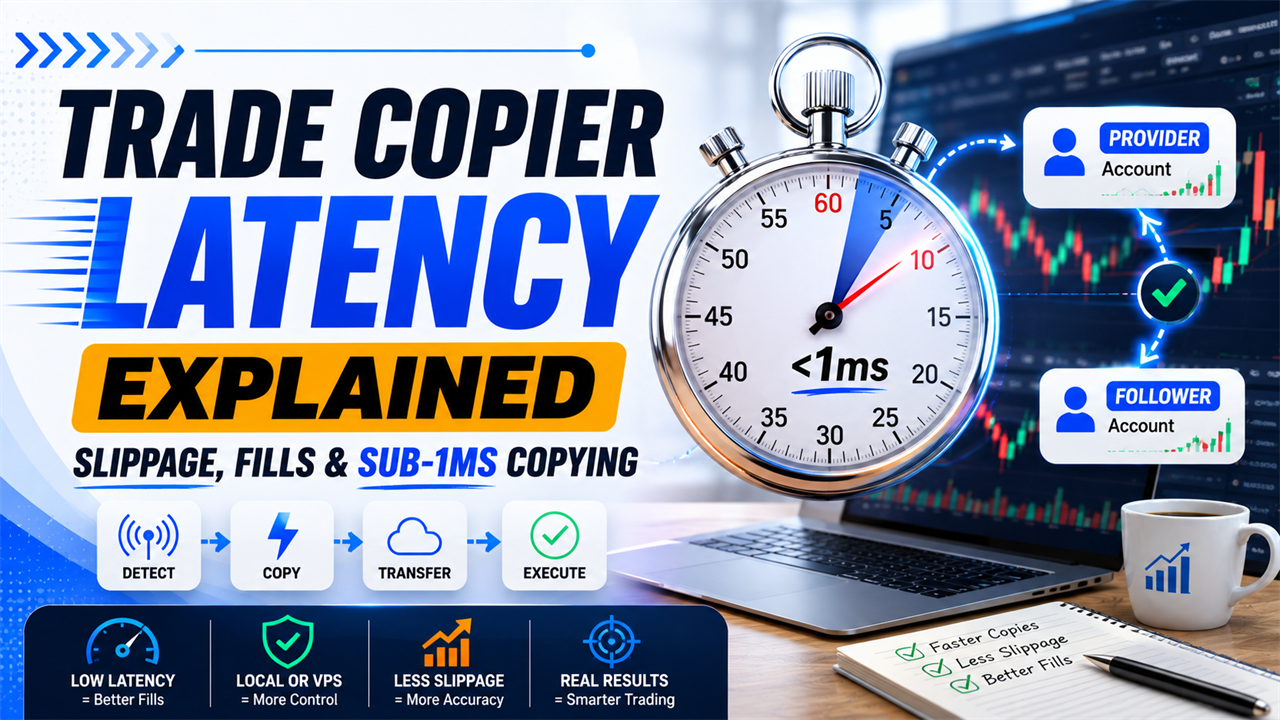
A position fills on the provider account, but the receiver enters at a slightly different price. Both terminals were online, the symbol mapping was correct, and the order volume matched. The difference can still come from trade copier latency combined with the receiver broker’s execution time.
Trade copier latency measures only part of the order journey. The provider detection process, copying engine, network route, receiving platform, broker server, and available liquidity can each add a separate delay.
This guide explains where those milliseconds appear, how local and cloud copier models compare, when delay turns into slippage, and how to measure the complete provider-to-receiver process.
What Is Trade Copier Latency?
Trade copier latency is the delay between an order filling on the provider account and the corresponding instruction reaching the receiver. Local copiers can add under one millisecond because no external network hop is required, while a cloud copier can add 50 to 300 ms depending on server distance, processing, and routing.
That difference matters most during scalping and news trades. Price can move through several quote levels inside 200 ms when liquidity changes quickly, although no fixed pip movement applies to every symbol or market event.
Copiix publishes a copying-engine latency of less than one millisecond for its local model. That number describes the local copier handoff, not the complete time required for the receiver broker to fill the new order. (Source: Copiix Trade Copier Performance, 2026).
The 50 to 300 ms cloud range is a practical planning estimate rather than an industry-wide benchmark. Cloudflare shows that geographic distance alone can create approximately 5 to 10 ms of latency over a short regional route and 40 to 50 ms over a longer domestic route before server processing and return communication are added. (Source: Cloudflare Network Latency Guide, 2026).
| Latency measurement | Starting event | Ending event | What it includes |
|---|---|---|---|
| Provider detection latency | Provider trade changes | Copier identifies the event | Platform and copier monitoring |
| Copier latency | Event is detected | Receiver instruction is created | Rule processing and local transfer |
| Network latency | Instruction leaves one machine | Instruction reaches another system | Distance, routing, and congestion |
| Receiver submission latency | Receiver gets the signal | Platform sends the broker request | Symbol, lot, and order conversion |
| Broker latency | Broker receives the request | Broker returns a result | Server and liquidity processing |
| Total copy delay | Provider fill | Receiver fill | Every stage combined |
A reported copier speed should state which two events were measured. A sub-millisecond local transfer and a 40 ms receiver fill can both be accurate because they describe different parts of the process.
Where Does Delay Enter the Trade-Copying Process?
Delay enters when the provider trade is detected, when copying rules are processed, when the signal moves between systems, and when the receiver broker executes the new request. The total delay is the sum of these stages rather than one single copier number.
MetaTrader sends an order from the trading platform to the broker, which then processes the request and executes a deal according to its own rules. The receiver account must repeat that process because a copied trade is a new broker request rather than a transfer of the provider’s original fill. (Source: MetaTrader 5 Trading Principles, 2026).
Provider Detection and Order Transfer
Provider detection begins after the original account creates or changes a trade. The copier must identify the event, read its parameters, apply outgoing filters, and prepare a standardized receiver instruction.
A provider event can include:
- A new market position
- A pending order
- A stop-loss or take-profit change
- A pending-order price change
- A partial closure
- A full closure
- A cancellation
MetaTrader 5 can generate several trade transactions from one market request. MetaQuotes documents separate request handling, order creation, order execution, deal creation, history updates, and position changes. (Source: MQL5 Trade Transaction Structure, 2026).
The copier must react to the correct event. Detecting an order request too early can produce a follower instruction before the provider fill is confirmed, while detecting it too late adds avoidable delay.
Receiver Submission and Broker Execution
Receiver submission begins when the follower component receives a valid signal. It ends when the receiving terminal sends a complete order request to its broker.
The receiver may need to process:
- Symbol prefixes or suffixes
- Cross-broker symbol translation
- Lot multipliers
- Equity-based sizing
- Minimum and maximum volume
- Volume-step rounding
- Direction filters
- Stop-distance requirements
- Account permissions
| Process stage | Typical controller | Can the copier optimize it? |
|---|---|---|
| Provider event detection | Copier and platform | Yes |
| Rule calculation | Copier | Yes |
| Local signal transfer | Copier and operating system | Yes |
| External network route | Internet providers and servers | Partly |
| Receiver terminal handling | Platform and copier | Partly |
| Broker request processing | Broker | No |
| Liquidity execution | Broker and counterparties | No |
A fast provider-to-receiver signal does not guarantee a fast fill. The receiver broker can reject, delay, partially fill, or reprice the request according to its platform configuration and available market liquidity.
How Much Latency Does a Local Trade Copier Add?
A local trade copier can keep its internal handoff below one millisecond because the provider and receiver components communicate on the same machine. The order does not need to travel to a third-party server before reaching the follower terminal.
A local copier still performs real work. It detects the provider event, checks filters, maps the symbol, calculates receiver volume, and writes or sends the new instruction.
Copiix documents real-time synchronization with ultra-low latency across unlimited MT4, MT5, and cTrader terminals. The terminals remain connected through components running within the trader’s controlled environment. (Source: Copiix Documentation: What Is Copiix?, 2026).
| Local processing stage | Expected scale | Main variable |
|---|---|---|
| Detect provider change | Sub-millisecond to several milliseconds | Platform event handling |
| Apply simple filters | Usually minimal | Number and complexity of rules |
| Calculate receiver lot | Usually minimal | Account and symbol lookups |
| Transfer local instruction | Can remain below 1 ms | Operating system and copier design |
| Submit through receiver terminal | Variable | Platform state and connection |
| Receive broker result | Variable | Broker and market conditions |
The sub-millisecond claim applies most directly when both terminals are healthy and running on the same machine. Heavy CPU usage, disk contention, security scanning, or overloaded terminals can increase processing time.
A local copy trading software route removes the cloud relay from the core instruction path. The receiver broker remains outside that local path, so broker latency must still be measured separately.
One millisecond equals 0.001 seconds. The difference between 0.5 ms and 1 ms is normally much smaller than the variation introduced by a 20 ms broker route or a fast-moving market.
Why Do Cloud Trade Copiers Add More Delay?
Cloud trade copiers add more delay because the signal must leave the provider environment, reach a remote service, be processed there, and travel to the receiver connection. Every external route adds distance, network hops, and another system that can queue the instruction.
A cloud service can reduce the need to keep a personal computer running. That convenience changes the signal architecture rather than removing latency.
| Cloud copying stage | Possible source of delay |
|---|---|
| Provider-to-cloud transmission | Internet route and packet handling |
| Cloud authentication | Session or token validation |
| Server queue | Other signals awaiting processing |
| Copying-rule calculation | Service load and database access |
| Cloud-to-receiver transmission | Second network route |
| Receiver connector processing | Local EA, API, or broker session |
| Broker execution | Broker server and liquidity |
A cloud copier’s total delay can change during the day. Server load, regional routing, packet loss, connection retries, and broker congestion can make one trade arrive in 60 ms and another take several hundred milliseconds.
Copiix describes additional account-access and infrastructure concerns in its guide to cloud trade copier risks. A hosted service can require external credentials while placing the copying engine on infrastructure shared with other users.
Cloud latency should be measured from the provider event to the receiver instruction. Measuring only the ping between the trader and the cloud server excludes authentication, rule processing, queuing, and the second route to the follower.
How Does a VPS Change Copier Execution Speed?
A VPS can reduce broker-side network delay when it is located close to the broker server, but it does not automatically make the copier engine faster. Its main advantages are shorter network routes and continuous terminal uptime.
A virtual private server is a remotely hosted computer that runs the trading platforms and copier. When the provider, receiver, and copier all run on one VPS, their internal communication can remain local to that server.
MetaQuotes states that its virtual hosting service provides 24/7 operation and minimum network latency to the broker’s trade server. The system selects a hosting location intended to reduce the connection delay between the trading terminal and broker. (Source: MetaTrader Virtual Hosting, 2026).
| Setup | Copier path | Broker path | Main benefit |
|---|---|---|---|
| Home computer | Local | Home internet to broker | No server cost |
| Nearby VPS | Local inside VPS | Short route to broker | Lower broker ping |
| Distant VPS | Local inside VPS | Long route to broker | Uptime, but not necessarily speed |
| Cloud copier | External service | Service or connector to broker | Device independence |
| Split terminals | Network between machines | Separate broker routes | Flexible but more complex |
A VPS should be selected by measured broker ping rather than city name alone. Two servers in the same city can use different network providers and routes.
A VPS can make execution slower when it is farther from the broker than the trader’s existing connection. It can also add resource contention when too many terminals run on a small CPU or limited memory allocation.
What Is the Difference Between Copier Latency and Broker Latency?
Copier latency is the time required to detect and transfer the provider instruction, while broker latency begins when the receiving platform sends its order request. The two delays occur sequentially and should be measured separately.
A local copier may complete its handoff in under one millisecond while the receiver broker takes 30, 80, or 200 ms to return an execution result. The copier remains fast even though the complete copied trade took longer.
cTrader states that it can process orders within milliseconds but cannot guarantee that the order will be filled in that time. Broker liquidity providers, the location of the broker’s cServer, the trader’s location, and internet quality affect the final result. (Source: cTrader Trading Conditions, 2026).
| Metric | Measurement window | Main owner |
|---|---|---|
| Copier detection time | Provider fill to event recognition | Copier |
| Copier processing time | Recognition to receiver instruction | Copier |
| Receiver submission time | Instruction to broker request | Copier and platform |
| Network ping | Terminal to broker and back | Network route |
| Broker response time | Request receipt to result | Broker |
| Liquidity execution time | Order reaches market to fill | Broker and liquidity |
| Total copy-to-fill time | Provider fill to receiver fill | Complete system |
Broker latency can differ for each receiver. Five accounts receiving the same signal can report five different fills because they use separate broker servers, account types, and liquidity conditions.
Reducing copier latency cannot correct a slow broker connection. The correct optimization depends on which part of the timeline is actually consuming the time.
When Does Copier Delay Turn Into Slippage?
Copier delay turns into slippage when the executable receiver price changes between the provider fill and the receiver broker’s fill. The amount depends on market movement, available liquidity, order size, and the receiver’s execution conditions.
Slippage is the difference between the expected order price and the actual execution price. It can be positive or negative because the market can move in either direction.
cTrader states that market orders are submitted immediately but can experience slippage or partial fills because of network latency and available liquidity. A market order secures entry at the best available price rather than guaranteeing the displayed quote. (Source: cTrader Market Order Documentation, 2026).
| Condition | Slippage sensitivity |
|---|---|
| Stable market with deep liquidity | Lower |
| Fast price movement | Higher |
| Large receiver volume | Higher |
| Thin market session | Higher |
| Wide receiver spread | Higher |
| Long copier and broker route | Higher |
| Pending order already on broker server | Lower copier sensitivity at trigger |
Fast Markets and News Releases
Fast markets create more quote changes inside the provider-to-receiver delay. A receiver order submitted 100 ms later can encounter a different spread, depth, or available price.
Economic releases can produce:
- Rapid bid and ask changes
- Temporary spread expansion
- Lower visible liquidity
- Partial fills
- Rejected prices
- Increased broker processing load
- Different fills across receivers
Copier speed cannot preserve an unavailable price. Once the provider consumes liquidity or the market moves, the receiver must trade against what remains.
A news strategy should be tested with the real provider and receiver brokers. Demo execution may not reproduce the same liquidity and spread behavior seen on live accounts.
Scalping and Short-Term Strategies
Scalping strategies are more sensitive because the expected profit target is small relative to the possible entry difference. A two-pip discrepancy matters more when the target is five pips than when the target is 100 pips.
The practical effect depends on:
- Average holding period
- Normal spread
- Target distance
- Stop distance
- Trade frequency
- Instrument volatility
- Provider and receiver broker quality
A delay of 100 ms is not automatically unacceptable. It becomes material when the market typically moves enough during that window to alter the strategy’s expected outcome.
How Do Symbol Mapping and Order Conversion Affect Copying Speed?
Symbol mapping and order conversion add processing before the receiver request, but correctly configured rules should consume far less time than an external network route or broker fill. The larger risk is an incorrect or failed order rather than a meaningful millisecond increase.
A symbol prefix is text placed before a broker’s base instrument name. A suffix appears after it. Translation is required when two brokers use different base names, such as DAX and GER40.
Copiix documents parameters for symbol translation, provider and Copyer filters, money management, order handling, and account-specific rules. These parameters are processed before the receiver order is submitted. (Source: Copiix Parameters Configuration, 2026).
| Provider symbol | Receiver symbol | Required operation | Speed effect |
|---|---|---|---|
EURUSD | EURUSD | Direct match | Minimal |
EURUSD | EURUSDm | Add suffix | Minimal |
fx_EURUSD | EURUSD.raw | Remove prefix and add suffix | Minimal |
DAX | GER40 | Apply Translate rule | Minimal |
XAUUSD | Unsupported | Reject or log error | No valid receiver order |
The guide to symbol translation between brokers shows how explicit mappings connect instruments whose names cannot be resolved through prefixes or suffixes alone.
Order conversion can take more work when platforms represent trades differently. MT4 uses an order-centered model, while MT5 separates orders, deals, and positions and can use netting or hedging.
The conversion must be correct before it is fast. Saving a fraction of a millisecond has no value when the receiver selects the wrong contract or creates an invalid lot size.
Can Multiple Receiver Accounts Increase Latency?
Multiple receiver accounts can increase total processing load, but a well-designed local copier should still dispatch each instruction quickly. Slowdowns appear when the computer, terminals, broker connections, or copying queue approach their practical capacity.
One provider event creates a separate receiver calculation and broker request for every follower. Ten receivers therefore require ten symbol checks, ten lot calculations, and ten order submissions.
| Scaling factor | Why it matters |
|---|---|
| Number of active terminals | Each platform consumes CPU and memory |
| Number of simultaneous signals | More receiver calculations occur at once |
| Chart and EA workload | Other processes compete for resources |
| Logging volume | Disk activity increases during bursts |
| Broker connections | Every follower has a separate network session |
| Security software | File or process scanning can delay activity |
| Machine specification | Limited CPU and RAM create queues |
Copiix recommends at least 4 GB of RAM, 8 GB or more for multiple terminals, and a quad-core CPU for heavier usage. Its setup guide also identifies insufficient resources, multiple platform instances, network latency, and background applications as causes of performance problems. (Source: Copiix Getting Started Documentation, 2026).
The first receiver may submit before the last receiver when instructions are processed sequentially. The difference can remain tiny under normal load but grow when several providers trigger at once.
Test the actual maximum account count planned for live use. A two-account test cannot prove how the machine will perform with twenty active receivers during a fast market.
How Do Market Orders, Pending Orders, and Trade Modifications Compare?
Market orders are most sensitive to copier latency because the receiver submits at the current available price. Pending orders are less sensitive after placement because the receiver broker controls the later trigger, while modifications depend on whether the target order or position still exists.
A market instruction must reach the broker before the receiver can be filled. A pending order can be placed in advance and wait on the broker server for its trigger condition.
MetaTrader’s strategy tester models delay when a trade request is placed but does not apply network delay when a pending order later triggers on the server. This reflects the practical distinction between transmitting a new instruction and executing an order already stored by the broker. (Source: MetaTrader 5 Strategy Testing, 2026).
| Trade event | Copier-latency sensitivity | Main timing risk |
|---|---|---|
| Market entry | High | Receiver price changes before submission |
| New pending order | Medium | Order reaches broker after market moves |
| Pending-order trigger | Low copier sensitivity | Broker-side execution and liquidity |
| Stop-loss modification | Medium | Position may move before protection updates |
| Take-profit modification | Medium | Target can be reached before update |
| Partial closure | High in fast markets | Receiver exit price differs |
| Full closure | High in fast markets | Exposure remains open during delay |
| Pending-order cancellation | Medium | Order may trigger before cancellation arrives |
Market-order latency affects entry immediately. Modification latency affects how long the receiver remains under the previous stop, target, or exposure.
A receiver rejection can create a larger difference than ordinary delay. The provider may hold a position while the follower has no corresponding trade.
Which Factors Cause Inconsistent Copier Execution Times?
Inconsistent copier execution times usually come from jitter, resource contention, network congestion, broker variation, or sudden bursts of simultaneous orders. Average latency alone cannot show how stable the copier performs.
Jitter is the variation between individual latency measurements. A system averaging 20 ms can still be unreliable when most trades take 5 ms and occasional trades take 200 ms.
IBM identifies distance, network hops, transmission media, congestion, packet size, and jitter as important latency variables. High jitter can also contribute to packet loss and inconsistent response times. (Source: IBM Latency Guide, 2026).
| Cause | Observable symptom |
|---|---|
| CPU saturation | Copier delays during busy market periods |
| Low available memory | Terminal freezes or slow switching |
| Disk or antivirus scanning | Irregular local transfer times |
| Wi-Fi instability | Spikes and packet loss |
| Internet congestion | Higher broker and cloud latency |
| Cloud server load | Delays affecting many signals |
| Broker load | Slow or inconsistent execution responses |
| Several orders at once | Last receivers submit later |
| Platform restart | Missed or delayed synchronization |
| Symbol lookup failure | Order processing pauses or rejects |
Consistency matters more than one best result. A copier that reports 0.4 ms once but regularly spikes to 80 ms can be less suitable than one that remains close to 2 ms.
Measure during active market periods. Weekend or closed-market tests cannot reproduce broker load, live spreads, or liquidity conditions.
How Can You Measure Trade Copier Latency Accurately?
Measure latency with synchronized millisecond timestamps for the provider fill, copier detection, receiver submission, and receiver fill. Separate these intervals so copier delay is not confused with broker execution.
A ping test measures a network route, not the complete copied trade. It does not include provider detection, rule processing, receiver conversion, or broker execution.
Copiix’s console documentation lists latency measurements among the terminal status information available for monitoring connected accounts. (Source: Copiix Console Overview, 2026).
Provider and Receiver Timestamps
Use the provider’s confirmed execution time as the starting point. Use the receiver’s broker-confirmed execution time as the end point when measuring total copy-to-fill delay.
MetaTrader 5 records order placement and completion with ORDER_TIME_SETUP_MSC and ORDER_TIME_DONE_MSC. Both properties use milliseconds since January 1, 1970. (Source: MQL5 Order Properties, 2026).
Record these timestamps:
- Provider deal execution
- Copier event detection
- Receiver signal creation
- Receiver broker request
- Receiver order acceptance
- Receiver deal execution
Use one clock source where possible. Unsynchronized device clocks can make a fast transfer appear negative or much slower than it was.
Repeated Tests Under Live Conditions
A single trade cannot establish normal latency. Run repeated tests across different sessions, symbols, and levels of market activity.
MetaTrader 5 also provides DEAL_TIME_MSC, which records deal execution time in milliseconds. This allows provider and receiver fills to be compared at a finer resolution than whole-second logs. (Source: MQL5 Deal Properties, 2026).
| Test metric | Calculation |
|---|---|
| Copier detection delay | Detection time minus provider fill time |
| Copier handoff delay | Receiver signal time minus detection time |
| Broker execution delay | Receiver fill time minus receiver request time |
| Total delay | Receiver fill time minus provider fill time |
| Entry slippage | Receiver fill price minus comparable provider price |
| Jitter | Variation across repeated latency measurements |
| Failure rate | Rejected or missing copies divided by test trades |
Test at least three conditions:
- Quiet liquid market
- Normal active session
- High-volatility period
When unexplained latency remains after reviewing the logs, send the platform versions, account route, timestamp sample, and machine details when you contact the Copiix team.
How Can You Reduce Delay Between Connected Accounts?
Reduce copying delay by keeping the provider and receivers in one local environment, minimizing external network hops, using stable wired connectivity, and placing the trading environment close to the broker servers. Optimization should target the slowest measured stage.
Reducing a sub-millisecond copier handoff has little value when the broker route takes 100 ms. Measure first, then change the component responsible for the delay.
MetaQuotes states that lower network latency provides better order-execution conditions, including reduced slippage and a lower probability of requotes. Its virtual hosting system lets users choose the server with the smallest broker ping. (Source: MetaTrader Virtual Hosting Server Selection, 2026).
| Optimization | Stage improved | Practical action |
|---|---|---|
| Keep terminals on one machine | Copier transfer | Avoid splitting provider and receivers |
| Use wired internet | Network consistency | Replace unstable Wi-Fi |
| Close unnecessary software | Local processing | Reduce CPU and disk contention |
| Limit duplicate EAs or cBots | Terminal workload | Run only required components |
| Choose a nearby VPS | Broker network route | Compare broker ping by location |
| Test each broker | Broker execution | Identify consistently slow receivers |
| Preconfigure mappings | Receiver processing | Avoid symbol lookup failures |
| Use valid lot steps | Order acceptance | Prevent volume rejections |
| Monitor jitter | Stability | Track spikes, not only averages |
| Stagger noncritical processes | Resource use | Avoid backups or scans during trading |
A low-latency setup should also remain recoverable. Removing logs or safety checks to save a fraction of a millisecond can make failed trades harder to diagnose.
Do not move a prop firm account to a VPS without checking the firm’s current IP, device, and remote-access rules. Lower latency does not override compliance requirements.
How Does Copiix Achieve Sub-Millisecond Local Copying?
Copiix achieves sub-millisecond copier latency by keeping the core provider-to-Copyer communication on the trader’s own machine. The signal does not need to travel through a mandatory external relay before reaching another local terminal.
Copiix uses terminal components for MT4, MT5, and cTrader with one local console that manages the connections, filters, symbol rules, and money management.
The main Copiix trade copier features include multi-platform copying, unlimited accounts, custom trade filters, risk controls, and real-time monitoring. The product page describes its optimized copying engine as operating with minimal latency.
| Copiix component | Latency function |
|---|---|
| Local Provider component | Detects account events |
| Copiix Console | Manages routes and parameters |
| Local Copyer component | Receives and validates instructions |
| Prefix and Suffix | Resolves broker symbol formatting |
| Translate | Maps different instrument names |
| Money management | Calculates receiver volume |
| Filters | Blocks ineligible signals before submission |
| Terminal logs | Records copying and error activity |
| Latency monitoring | Displays connection measurements |
Copiix removes the cloud relay from the core copying path so the trader controls the accounts, data, and execution environment.
Sub-millisecond copying does not mean zero total delay. The receiver platform and broker still process a separate order after the local instruction arrives.
Copiix supports unlimited followers, but practical performance still depends on the computer, terminal workload, and number of simultaneous broker requests. Add accounts gradually and verify latency under the intended production load.
Trade Copier Latency, Slippage, and Fill Quality: Key Takeaways
Trade copier latency is only one part of fill quality, and local copying removes the most avoidable part of the delay. Broker execution, liquidity, network distance, and market volatility usually create the larger variations after a sub-millisecond handoff.
A good latency report separates local copier transfer from receiver broker execution. Combining both into one figure makes it impossible to identify which component needs improvement.
| Priority | Key takeaway |
|---|---|
| Local copier speed | Can remain below 1 ms on the same machine |
| Cloud copying | Adds external routes and processing stages |
| VPS use | Can reduce broker ping and improve uptime |
| Broker latency | Remains independent for every follower |
| Slippage | Occurs when the receiver’s available price changes |
| Symbol mapping | Adds little delay when configured correctly |
| Multiple receivers | Increase workload and broker requests |
| Pending orders | Become less copier-sensitive after broker placement |
| Measurement | Requires millisecond provider and receiver timestamps |
| Optimization | Must target the slowest measured stage |
Before using a latency-sensitive setup:
- Test the full provider-to-receiver lifecycle.
- Measure at least several dozen representative trades.
- Separate copier handoff from broker response.
- Record average, maximum, and inconsistent results.
- Compare entry prices and rejected orders.
- Test the intended number of receiver accounts.
- Recheck performance after platform or broker changes.
One millisecond of copier delay is rarely the main problem by itself. A slow cloud route, unstable connection, overloaded terminal, or delayed broker response can add far more time.
Copying technology also reproduces losses as quickly as profitable trades. Faster execution improves consistency, but it cannot make a weak strategy profitable or remove market risk.
Reduce Order-Copying Delay With Copiix
Start with one Provider and one Copyer on the same machine, then measure the provider fill, local handoff, receiver submission, and final broker fill separately. This process shows whether the real delay comes from the copier, computer, network route, or broker.
Copiix runs locally across MT4, MT5, and cTrader, allowing the core copying handoff to remain below one millisecond under normal local conditions. Each receiver can still use separate symbol mapping, lot sizing, filters, and risk controls.
Once the terminals and copying route have been tested under realistic conditions, download Copiix and measure local trade copying on your own accounts.
Frequently Asked Questions About Trade Copier Latency
Is one millisecond of trade copier latency noticeable?
No, one millisecond of copier latency is normally too small to matter on its own. Broker and network delays often create a larger variation in the complete order timeline.
It can still matter in an extreme latency-sensitive system. The effect should be judged against the strategy’s holding period, target size, and normal price movement.
How much latency does a cloud trade copier normally add?
A cloud copier can add tens or hundreds of milliseconds because the signal must travel to an external service and then to the receiver. A practical planning range is 50 to 300 ms, but the actual result must be measured.
Server distance, routing, load, authentication, and queuing can all change the result. Some trades may arrive faster or slower than the typical range.
Can copier latency cause different entry prices across accounts?
Yes, latency can contribute to different entry prices when the market moves before the receiver order is filled. The receiver’s spread, liquidity, broker route, and order size also affect the price.
A copied order is a new request. It does not inherit the provider’s original fill.
Does running several receiver accounts slow down trade copying?
Running several receivers increases CPU, memory, terminal, and broker-request workload. A properly sized machine can still dispatch the instructions quickly.
Test the full planned account count during active market conditions. Performance with two terminals does not prove performance with twenty.
Is a VPS required for low-latency trade copying?
No, a VPS is not required when the local computer is stable and already has a fast broker connection. A VPS is useful for 24/7 uptime and can reduce broker ping when placed near the broker server.
A distant or overloaded VPS can be slower than the existing computer. Compare measured latency before moving the setup.
Why do copied trades experience more slippage during news events?
Copied trades experience more slippage during news because prices, spreads, and available liquidity can change rapidly between the provider and receiver fills. Even a fast copier cannot preserve a price that is no longer available.
Receivers can also use different brokers and liquidity sources. The same signal can therefore produce different fills across accounts.